As an Amazon Associate, we earn from qualifying purchases. Some links on this site are affiliate links at no extra cost to you. Our recommendations are based on thorough research and editorial judgment.

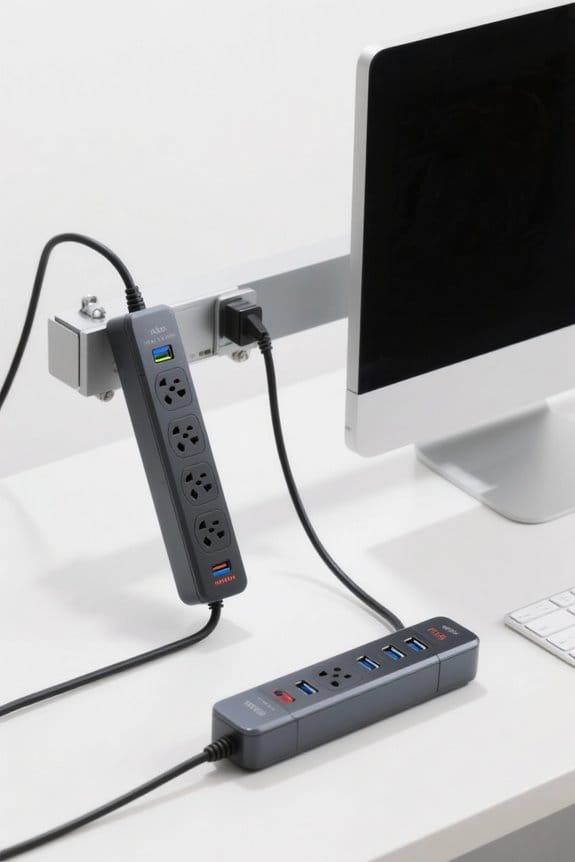
Surge Protection Innovations for Home Networks

Home network surge innovations include UL1449 Type 1 whole-house SPDs mounted within 12 inches of the service disconnect. Use a Type 2 SPD on the load side, then add point-of-use units like Tripp Lite DTEL2 at RJ45/RJ11 ports. Choose devices with ≥600 J joule rating and LED status indicators. Install with main breaker off, torque per label, and verify annually. You can log transients with LG-200 for analysis. More technical setup and testing follow next.
Key Takeaways
- Install a whole-house Type 1 SPD at the main panel to block large external surges before they reach home wiring.
- Add Type 2 point-of-use SPDs within 12 inches of sensitive equipment for low-impedance protection against residual transients.
- Use inline RJ45/RJ11 network protectors with ≥600 J and visible LED indicators to protect modems, routers, and phones.
- Adopt smart SPDs with cloud monitoring, AI-based spike prediction, and mobile alerts for proactive surge management.
- Schedule biannual inspections and logging tests (voltage clamping, transient logs) to verify SPD performance and replace exhausted units.
Why Home Networks Need Surge Protection
You may be interested
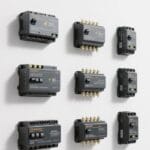
Because modern routers and switches use delicate printed circuit boards, home networks face increasing risk from power surges and transients. A typical household can see about 100 transient events monthly that threaten sensitive electronics and data. Install surge protective devices at outlets and at the service panel to block AC transients from damage. Whole house surge units, rated at 120V/240V, with UL1449 Type 1 listing, protect multiple circuits simultaneously. Place point-of-use protectors for routers and switches on dedicated surge strips with clamping voltage under 400V. Begin installation by turning off the main breaker, confirming zero voltage with a meter, then mounting the panel unit per instructions. Regularly inspect indicator LEDs and replace any protector after a major surge or five years, whichever comes first. For comprehensive protection of networked devices, select surge protectors that support PoE compatibility and offer high surge ratings such as 20KA (8/20 s).
Types of Surges Affecting Network Equipment
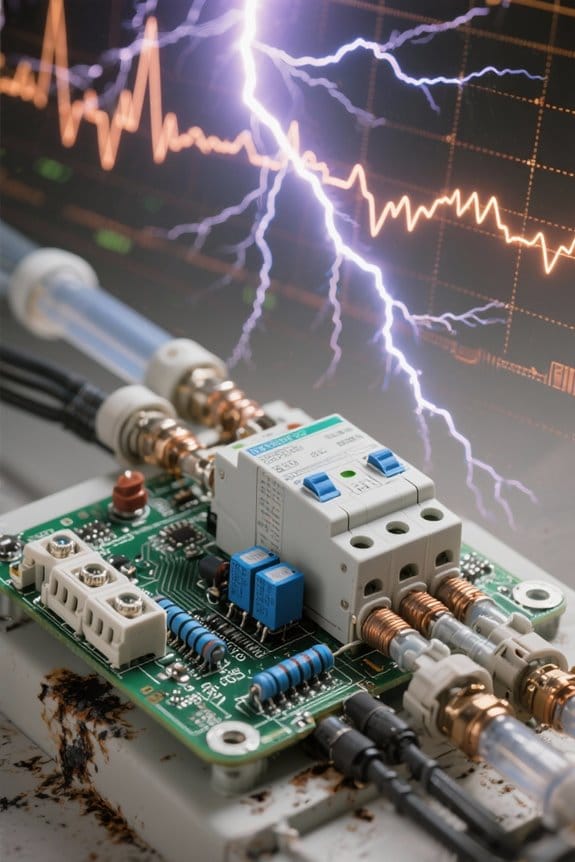
While home wiring, utility switching, and weather interact, several distinct surge types routinely threaten network gear each month. Up to 100 power surges per month occur, from lightning, power restoration, and internal electrical disturbances. These transients carry high voltage and amperage for milliseconds, with transient voltage spikes sometimes exceeding 6000 volts. Common types include utility switching surges, accidental external contact with power lines, electrostatic discharge, and ground surges. Routers and modems rated 48 V or lower can fail; you can check labels and product codes. Implement whole-house surge protection devices; connect a Type 1 SPD at the meter and Type 2 SPDs at the panel. For action, shut off power, mount SPD within 1 meter of the service disconnect, tighten lugs to 25 Nm. Also, using a Type 2 SPD at the electrical panel complements a meter-mounted Type 1 device for layered protection.
How In-Line Surge Protectors Work
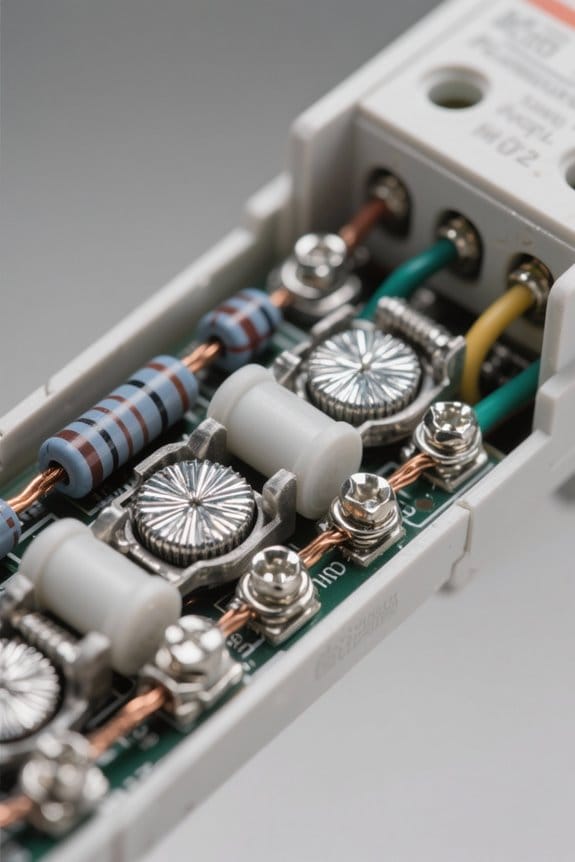
The Tripp Lite DTEL2 in-line surge protector uses RJ45 and RJ11 plugs to protect network and phone lines from AC transients. It plugs inline between the wall outlet cable and the modem or telephone device, using standard RJ45 or RJ11 connectors for immediate connection. In-line surge protectors redirect excess voltage from lightning, electrostatic discharge, and ground surges away from sensitive components to prevent failure. For installation, you can disconnect the device, insert the DTEL2 plug into the incoming line, then connect the modem or phone to the protector output. Surge protectors protect up to two lines simultaneously, enabling surge suppression for both data and voice. Many models, including DTEL2, include a lifetime limited warranty for user assurance. Check compatibility with modem specifications before installation. Many installers also recommend ensuring GFCI protection is present on outdoor supplies when protecting equipment.
Recommended Products

PROTECTION EQUIPMENT - The Network Surge Protector Suppressors protects against network surges.Insert a Network Surge Protector in your network cables, to prevent network surging.This is a good insurance policy for your expensive router and outdoor POE antenna.

Standards-Compliant Lightning & Surge Protection: This surge protector safeguards your telephone/fax devices from lightning strikes and voltage surges.Built with a gas discharge tube and fast semiconductor device (nanosecond response), it safely dissipates excess voltage to protect valuable components.

[10KA Powerful Surge Protection] This RJ11 telephone surge protector provides up to 10KA protection capacity, effectively shielding phone lines, fax machines, and DSL modems from strikes and voltage spikes, ensuring stable communication and device safety.
Key Features to Look for in Network Surge Protectors
When selecting a network surge protector, the buyer should verify connector compatibility with RJ45 and RJ11 ports used by modems and phones. Inspect labels for surge protectors that list extensive protection against AC transients, lightning, and electrostatic discharge, model example SP-1000. Confirm a Joule rating of at least 600 J, higher values like 1200 J provide greater energy absorption and longer service life. Look for LED indicator lights labeled “Protected” and “Connected” that allow visual status checks every day or after storms. Choose units with a lifetime limited warranty code LW-5, and record serial number on sticker A-01 for warranty claims. Install as follows: 1) power down equipment, 2) plug protector into AC outlet, 3) connect RJ45 or RJ11 cables securely and secure clips. Ensure proper grounding with a dedicated 12AWG ground connection for reliable protection.
Recommended Products
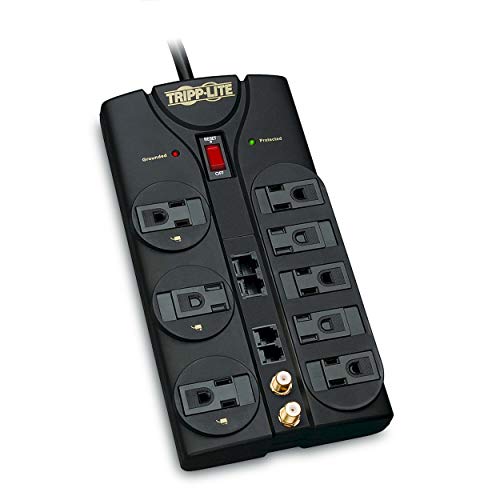
Robust Audio/Video AC surge suppressor to protect your home theater system or other valuable electronics from a voltage spike and more

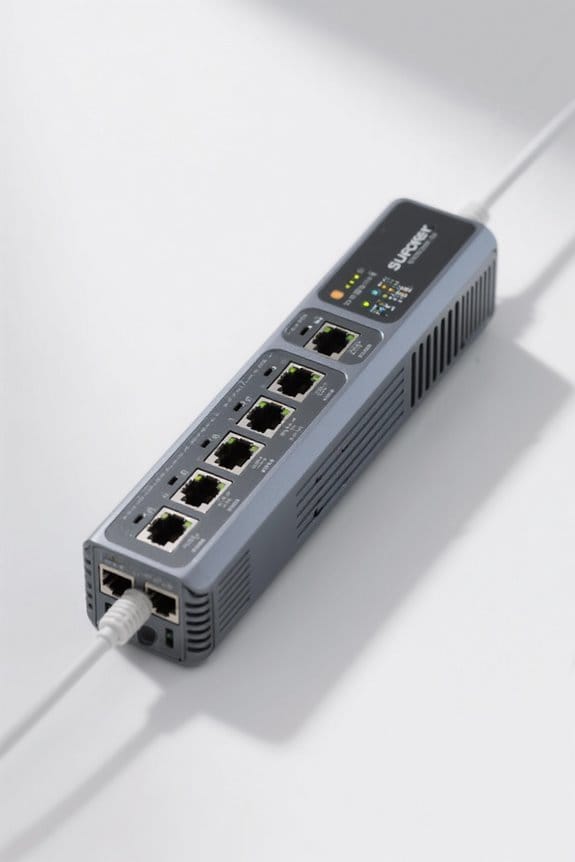
Aluminum Case, Ethernet Surge Protector Protects Computer Networking Equipment Devices like Router, Modem, Camera, Switch etc

The Network Surge Protector Suppressors protects a single data line, including computer network signals, communication equipments and more. Insert a Network Surge Protector in your data cables, and connect them to the ground, to prevent lightning surging, so as not to damage your devices, you will not waste your money.
Protecting Modems, Routers, and Switches
Because modern modems, routers, and switches contain sensitive electronics, they require layered surge protection to prevent costly failures. Start with whole-house surge protection devices at the electrical panel, installed by a licensed electrical contractor. Next, add point-of-use surge protectors at each modem and router power outlet. For example, use a Tripp Lite in-line surge protector model ISOBAR4, 6 in cord length (150 mm). Step 1: shut off power. Step 2: plug the modem into the point-of-use protector. Step 3: plug the protector into the wall outlet. Step 4: restore power and verify indicator LEDs. Inspect all connections every 12 months. You can replace protectors after a major surge or when LEDs fail. These steps reduce surge damage and extend device life and reliability improvements. Additionally, ensure the protectors have a clamping voltage under 400 V to maximize safety.
Recommended Products

425VA / 255W RELIABLE BACKUP POWER: Supplies short-term battery power during outages to maintain internet connectivity and allow safe shutdown of devices during power interruptions

HOME THEATER SURGE PROTECTOR FOR TV: Features 12 outlets, 2160 joule rating, and an 8ft extension cord with a flat plug. Four outlets fit bulky transformers without blocking other outlets. Package includes a 6ft phone line (RJ11) and 6ft Coax cable.

SURGE PROTECTOR POWER STRIP: Features 11 outlets, 4200 joule rating, and an 8ft flat plug braided extension cord. Six side-facing outlets fit bulky transformers. Filters out threatening EMI/RFI line noise that can cause damage or data loss.
RJ45 and RJ11 Surge Protection Options
Surge protectors such as the Tripp Lite DTEL2 protect RJ45 and RJ11 lines from lightning and electrostatic discharges. The Tripp Lite In-Line Surge Protector (DTEL2) connects inline between wall jack and modem, handling up to two lines for extensive surge protection. Install by unplugging equipment, inserting the DTEL2 RJ45 or RJ11 plug into the wall jack, then connecting the device lead to the protector. The protector supports common RJ45/RJ11 pinouts and fits modems, fax machines, and answering machines without adapters. Rated for AC transient suppression suitable for home network wiring, it prevents surges from entering signal lines. Devices receive guarded data paths while warranty coverage provides long term assurance. Inspect connections monthly and replace the protector after a recorded surge event. Keep documentation accessible. The DTEL2 also comes with a lifetime limited warranty that offers long-term protection assurance.
Recommended Products

PROTECT ANY ELECTRONIC DEVICE FROM POWER SURGES & SPIKES: Surge Protector with ten outlets and set of RJ-11 jacks protects your PC, personal computer, laptop, printer, scanner, router, phone, fax, modem, television, cable, satellite equipment, lamp or any other home/office electronics from dangerous power surges, spikes & line noise.

【Surge Protection】:Ethernet surge protector is designed to protect equipment against transients from lightning, ESD, and ground surges. Awishwell surge protector supports speeds up to 1 Gigabit -1000 Mbps, and provides PoE++ 802.3af/at/bt compatibility with 10KV surge protection, without affecting network performance. Peak surge current protection up to standard 20KA 8/20μs.

Ethernet Surge Protection
Panel-Level Vs Point-Of-Use Protection
After protecting data lines with an inline RJ45/RJ11 device such as the Tripp Lite DTEL2, comparing panel-level and point-of-use protection helps complete the plan. Panel-level protection uses Type 1 or Type 2 surge protective devices installed at the service entrance. These SPDs divert large currents, often rated 10 kA to 100 kA, to ground. Point-of-use devices are power strips or outlet modules that protect individual equipment and usually have lower joule ratings, for example 200–2,000 J. Recommended steps: 1) choose a Type 1/Type 2 SPD compatible with the meter/main panel; 2) mount per manufacturer instructions; 3) add point-of-use surge protective devices at sensitive outlets. Combined use yields whole-house defense and extra localized protection for critical electronics. A qualified electrician should verify SPD status annually. For larger homes, consider units with higher surge capacity to handle bigger transients.
Recommended Products
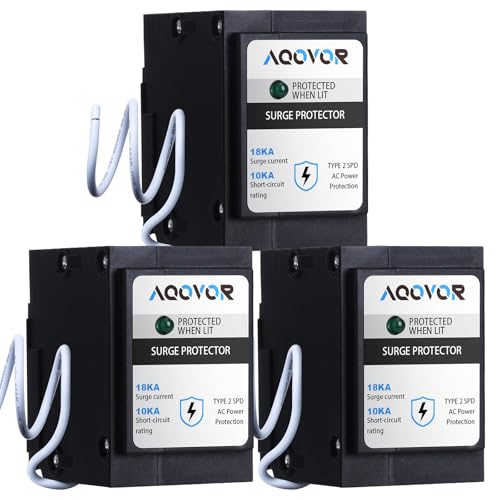
Uses 2 Branch Circuit Spaces
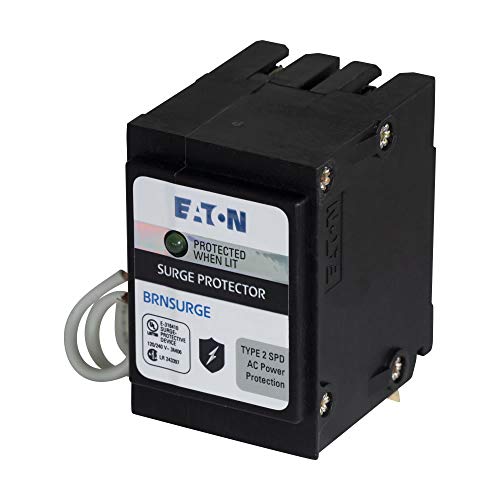
Uses 2 Branch Circuit Spaces

Universally connects to any manufacturer's load center (breaker box)
Installation Best Practices for Home Networks
When installing protection for a home network, begin with a whole-house SPD mounted at the main electrical panel near the service disconnect. Use a Type 2 SPD, model SPD-120/240V-2 or equivalent, and install at the service panel on the load side of the main breaker. Mount the SPD within 12 inches of the breaker, using 8 AWG copper grounding conductor to a dedicated ground bus. Connect transient voltage wiring per the manufacturer datasheet, keeping lead length under 12 inches and routing cables away from control wiring. Add point-of-use surge protectors, such as CAT6 inline protectors and power strips, next to routers and switches. Inspect indicator lights monthly, and consult a certified electrician to verify wiring, torque, and placement for ideal surge protection and longevity. For robust protection, select SPDs and point-of-use protectors rated for at least 1,500 joules where possible.
Testing and Monitoring Surge Protection Performance
How can a homeowner test and monitor SPD performance to maintain reliable protection for a home network? A technician inspects SPD-120 modules and records MOV voltage clamping at 600 V, using meter model TM-50. Step 1: Inspect indicator LED, note green or red, and schedule replacement if red or absent within 30 days. Step 2: perform live testing with clamp meter at 5 A threshold, logging transient voltages with logger LG-200. Step 3: enable software monitoring, configure alerts for spikes over 1,000 V, and archive events for 12 months. The homeowner can review logs weekly, compare surge frequency and intensity, and adjust SPD locations or ratings like SPD-240. Routine maintenance every six months improves lifespan and verifies protection remains within manufacturer specifications and local codes. Invisible finishes provide a seamless look for repairs and decorations, enhancing visual clarity in craft projects and maintaining professionalism with Invisible finishes.
Warranty, Certifications, and Counterfeit Awareness
One clear step for homeowners is to verify warranty terms and certification marks on each SPD before installation, for example SPD-120 or SPD-240 device. You can inspect labels for recognized certifications such as UL,ETL, or IEC and record model, serial number, and date specs. Verify lifetime limited warranty coverage, note any connected equipment protection limits in dollars, and keep written proof documented. You can purchase only from authorized retailers or manufacturers, check product codes against official databases, and save receipts records. Counterfeit awareness requires comparing build quality, measuring SPD dimensions like 120 x 80 x 40 mm, and testing terminals for rated clamping voltage specifications. If doubts remain, you can contact manufacturer’s support, request certification documentation, and file reports to consumer protection agencies immediately. Also, choose devices with UL Listed certification and a minimum rating of 1500 Joules where possible.
Future Trends in Home Network Surge Protection
After warranty and certification checks, homeowners should inspect AI monitoring and cloud management features in SPD models such as SPD-120 and SPD-240. Future surge protection will add AI that predicts spikes using 60-second sampling intervals and 24-hour historical logs. Devices will report via cloud to mobile apps with 1-second alert latency. New units will combine surge suppressors with Wi-Fi extenders measuring 120 x 60 x 25 mm and 0.18 kg weight. Modular cartridges will allow selecting 10 kA, 20 kA, or 40 kA protection per zone. Installation steps are: power down, mount at 1.8 m height, plug network, enable cloud sync, update firmware, and verify LED status code 200. For smart appliances, homeowners can map individual outlets to protection levels using the device app.
Frequently Asked Questions
Can Surge Protectors Interfere With Poe-Powered Devices?
Yes; surge protectors can affect PoE devices, and professionals note that surge protector compatibility impacts POE device performance, prompting evaluation of network-grade units to mitigate power delivery concerns and avoid degraded connectivity or equipment failure.
Do Network Surge Protectors Affect Internet Speed or Latency?
No; 90% of quality network surge protectors add under 0.5 ms latency. They minimally impact network performance, though inexpensive surge protector types and wiring or distance are primary latency factors affecting throughput and packet timing.
Are Surge Protectors Compatible With Fiber-Optic Terminations?
Yes, fiber optic terminations can be protected using isolation-based devices; they require surge protector technology designed for fiber optic compatibility to avoid signal loss. Manufacturers recommend proper installation for reliable home network safety and integrity.
How Should I Dispose of or Recycle Old Surge Protectors?
Like autumn leaves, they should be taken to certified drop-off centers for safe disposal methods, or manufacturer take-back programs; prioritize eco friendly recycling and consult local electronic waste management guidelines to prevent hazardous landfill contamination.
Can Surge Protectors Be Used Outdoors or in Unconditioned Spaces?
They may be used outdoors only if rated for outdoor weatherproofing; installers must follow installation guidelines precisely. Manufacturer ratings and proper mounting, adequately sealing, and grounding determine product durability and guarantee safe, reliable long-term operation.