As an Amazon Associate, we earn from qualifying purchases. Some links on this site are affiliate links at no extra cost to you. Our recommendations are based on thorough research and editorial judgment.


10 Best Phone Line Surge Protectors to Safeguard Your Home Phone and Modem

You can protect your home phone and modem with compact inline units like the Tripp Lite DTEL2 (3.5 in, RJ11/RJ45) or multi‑outlet strips such as Tripp Lite/Eaton TLP1208SAT (2880 J, RJ11/RJ45/coax). Match clamp voltage under 250 V and response time <1 ns, ground within 1 m using ≥14 AWG copper, and place protectors within 1 m of the wall jack. For RJ11 use Tekit RJ11 (82×25 mm). Continue for model comparisons and installation steps.
Key Takeaways
- Choose protectors compatible with your line type (RJ11 for phones, RJ45 for Ethernet, coax if needed).
- Prefer low clamping voltage (around 200–250 V) and sub‑nanosecond response times for sensitive equipment.
- Verify DSL compatibility (passband ≥4 MHz) and low insertion loss (<1 dB) to avoid signal degradation.
- Ensure proper grounding within 1 meter, using ≥14 AWG copper and ground resistance ≤25 ohms.
- Compare joule ratings, warranty/connected‑equipment coverage, and port count to match your devices.
Tripp Lite In-Line Surge Protector for Network and Phone Lines (DTEL2)
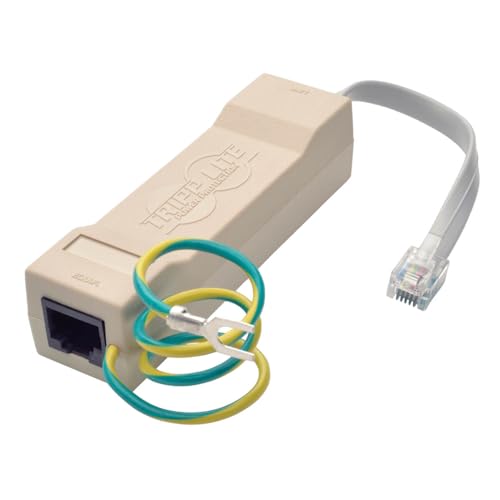
Tripp Lite in-Line Surge Protector Power Strip for Network and Phone Lines, 2-Line RJ11/RJ...
- Protects up to 2 network or phone lines against surges (RJ11/RJ45)
- Surge suppression for answering machines, wireless telephones, LAN networks, modems, and fax machines
- Prevents damage caused by lightning, electrostatic discharge and ground surges
You may be interested
If you need compact surge protection for modems, fax machines, or single-line telephones, choose the Tripp Lite DTEL2 in-line surge protector; it fits inline with RJ11 or RJ45 plugs and protects two network or phone lines. You can plug the DTEL2 (model DTEL2) between wall jack and device using the included RJ11 cable or an RJ45 lead. It guards against lightning, AC transients, electrostatic discharge, and ground surges. Install by powering off devices, connect input to wall jack, attach output to modem or phone. The unit measures about 3.5 inches, and includes a lifetime limited warranty.
Best For: Home or small-office users who need compact, in-line surge protection for modems, single-line telephones, fax machines, or small network/phone line setups.
Pros:
- Compact, inline design (about 3.5 inches) that installs between wall jack and device without taking extra desk space.
- Protects against lightning, AC transients, electrostatic discharge, and ground surges for up to two network/phone lines.
- Includes RJ11 patch cable and supports RJ11/RJ45 connections; backed by a lifetime limited warranty.
Cons:
- Designed for phone/single-line network protection only — not suitable for whole-home or multi-line network surge coverage.
- No visible status LED or audible indication to confirm protection status.
- Limited to two lines and basic inline usage; not a substitute for full UPS or power-strip surge protection.
Recommended Products
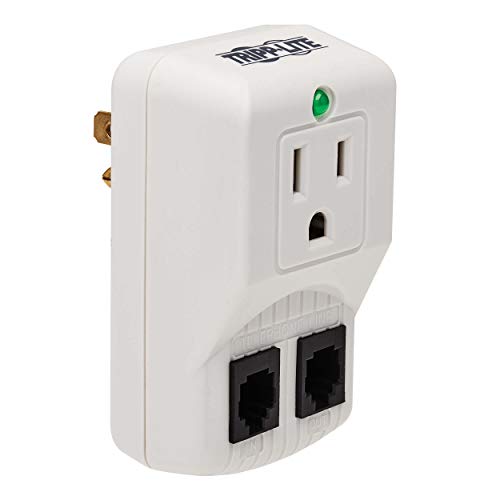
ON THE GO PROTECTION. PROTECT ANY ELECTRONIC DEVICE FROM POWER SURGES and SPIKES: Surge suppressor with one - NEMA 5-15R outlet protects your laptops, electronic notepads, personal organizers and other portable electronic devices from dangerous power surges, spikes and line noise.

PROTECT ANY ELECTRONIC DEVICE FROM POWER SURGES & SPIKES: Surge Protector with ten outlets and set of RJ-11 jacks protects your PC, personal computer, laptop, printer, scanner, router, phone, fax, modem, television, cable, satellite equipment, lamp or any other home/office electronics from dangerous power surges, spikes & line noise.

Standards-Compliant Lightning & Surge Protection: This surge protector safeguards your telephone/fax devices from lightning strikes and voltage surges.Built with a gas discharge tube and fast semiconductor device (nanosecond response), it safely dissipates excess voltage to protect valuable components.
Tripp Lite/Eaton 12-Outlet Home Theater Surge Protector Power Strip
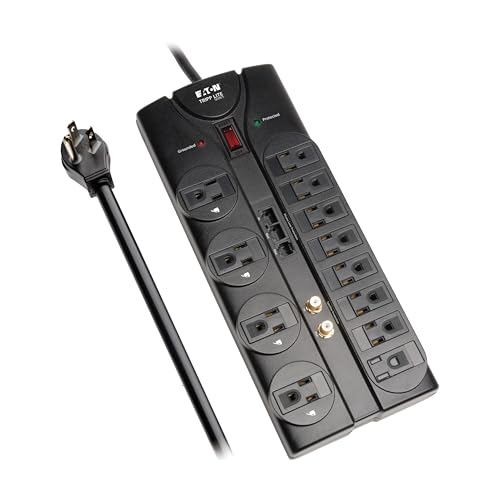
Eaton Tripp Lite TLP1208SAT Home Theater Surge Protector Power Strip, 12 Outlets, Flat Plug 8ft...
- HOME THEATER SURGE PROTECTOR FOR TV: Features 12 outlets, 2880 joule rating, and an 8ft extension cord with flat plug. Four outlets fit bulky plugs without blocking...
- TV, PHONE, ETHERNET, & WIFI ROUTER PROTECTION: Ethernet ports (RJ45), Phone Line (RJ11) and Coax ports help protect your cable TV, home phone, and Ethernet from dangerous...
- PREMIUM SAFETY FEATURES: Reliable surge protector is both UL Certified and UL Listed to ensure your devices are protected. Includes a 15A circuit breaker and diagnostic...

The Tripp Lite/Eaton TLP1208SAT is best for home theater owners who need surge protection for power, phone, Ethernet, and coax lines all in one unit. You get 12 outlets and a 2880-joule rating for equipment protection. Use the 8 ft extension cord with flat plug to place the strip flush against a wall. Connect the included 6 ft RJ11 phone, RJ45 Ethernet, and coax cables to protect data lines. Check diagnostic LEDs to confirm grounding and protection. Mount with keyhole slots or lay flat. Register the product for the lifetime limited warranty and $250,000 coverage.
Best For: Home theater owners who want all-in-one surge protection for power, phone, Ethernet, and coax-connected equipment with lots of outlets and a long, space-saving cord.
Pros:
- 12 outlets and a high 2880-joule rating provide robust protection for multiple devices.
- Includes RJ11, RJ45 (up to 100 Mbps), and coax protection plus diagnostic LEDs and a 15A circuit breaker.
- 8 ft flat plug extension cord and keyhole slots allow flexible, flush mounting or placement.
Cons:
- Ethernet protection supports up to 100 Mbps, which may be limiting for gigabit networks.
- Large power strip footprint may be bulky in tight spaces despite keyhole mounting.
- No USB charging ports included, so separate adapters are needed for USB-powered devices.
Tekit RJ11 Telephone/Modem Surge Protector Thunder Lightning Arrester (RJ-11)
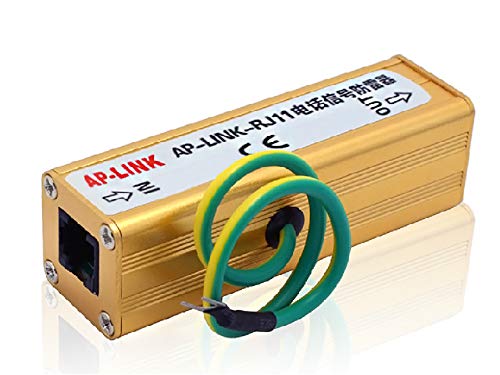
Tekit Telephone Fax RJ-11 RJ11 Surge Protector Thunder Lightning Arrester Protection Device RJ...
- Copper Telephone Fax RJ-11 Lightning Surge Protection Device Protects your telephone & fax from the damage of lightning & surge. Compliant with GB18802.12 & IEC...
- Easy to install. Install near telephone or fax first, "IN" end is for input and "OUT" end is for output to the protected device, then set ground wire well and straight...
- Dimensions: 82mmx 25mmx 25mm. Supports audio signal devices with RJ-11 interface, like telephone and fax etc.
Home office users and small business technicians will find the Tekit RJ11 Telephone/Modem Surge Protector ideal for protecting telephones and fax machines from lightning and surge damage. You can install the copper-bodied device (82mm x 25mm x 25mm) within one meter of the protected unit. Connect the IN end to the incoming line and the OUT end to your phone or fax. Guarantee proper grounding per GB18802.12 and IEC61643-21 compliance. The RJ-11 connector supports audio signal devices. Package includes one RJ11 surge protector. Follow these steps and check connections after storms to confirm continued protection.
Best For: Home office users and small business technicians who need simple, standards-compliant protection for telephones, modems, and fax machines with RJ-11 connections.
Pros:
- Compact copper-bodied design (82×25×25mm) is easy to install near the protected device.
- Compliant with GB18802.12 and IEC61643-21 standards for reliable surge protection.
- Simple plug-and-play use with RJ-11 IN/OUT connectors and supports audio-signal devices.
Cons:
- Protects only RJ-11 telephone/modem lines—does not cover network (Ethernet) or power surges.
- Requires proper grounding and placement within 1 meter of the device for full effectiveness.
- Single-unit package; multiple units needed for protecting several devices or lines.
Recommended Products

[10KA Powerful Surge Protection] This RJ11 telephone surge protector provides up to 10KA protection capacity, effectively shielding phone lines, fax machines, and DSL modems from strikes and voltage spikes, ensuring stable communication and device safety.
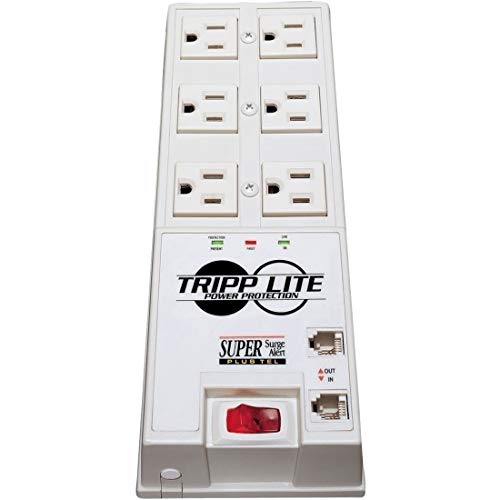
PROTECT ANY ELECTRONIC DEVICE FROM POWER SURGES & SPIKES: Surge Protector with six outlets and built in tel/dsl jacks protects your small home/business theater installations, high-definition TVs, satellite and A/V receivers, DVD/CD players and any other home/office electronics from dangerous power surges, spikes & line noise.
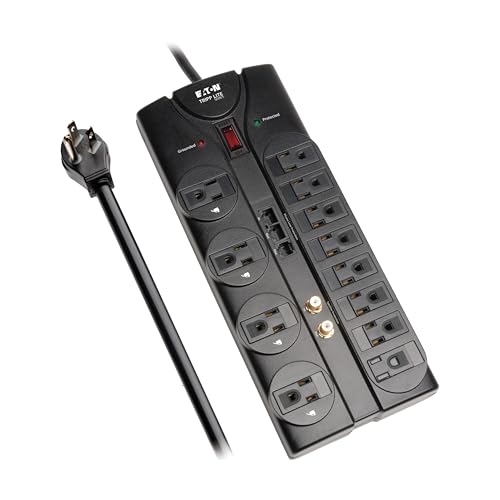
HOME THEATER SURGE PROTECTOR FOR TV: Features 12 outlets, 2880 joule rating, and an 8ft extension cord with flat plug. Four outlets fit bulky plugs without blocking others. Package includes 6ft phone line (RJ11), Ethernet (RJ45), and Coax cables.
Digital Energy 10-Outlet Heavy Duty Surge Protector Power Strip (25ft Extension Cord, 4050 Joules)

Digital Energy 10-Outlet Straight Plug 4050 Joules Heavy Duty Surge Protector Power Strip, 25 Foot...
- Surge Protection: Protects devices from power surges and spikes
- USB Ports: Provides 2 USB ports for charging devices
- Heavy Duty: Built to handle 15 amps of power
You’ll want this Digital Energy 10-outlet surge protector when you need long-reach protection for multiple devices in a workshop or office. You can plug tools, phones, and a modem into ten grounded outlets rated 15 amps. The unit delivers 4050 joules of surge suppression and uses a 25-foot extension cord to reach distant walls. Two USB ports let you charge mobile devices without adapters. Mount it under a desk or to a wall using the built-in keyhole slots. Install by plugging the straight plug into a grounded outlet, securing the unit, then connecting your devices.
Best For: Powering and protecting multiple devices in a workshop, home office, or entertainment area where long-reach cord length and extra outlets are needed.
Pros:
- 4050 joules of surge protection provides strong defense for connected equipment.
- 25-foot extension cord and 10 grounded outlets allow flexible placement and many devices to be powered.
- Two USB ports and mounting keyholes add convenience for charging and tidy installation.
Cons:
- Straight plug design may limit placement in tight outlet spaces or behind furniture.
- 15-amp rating may be insufficient for very high-draw tool setups without careful load management.
- Heavy-duty build can make the unit bulky and less portable.
Tripp Lite/Eaton 12-Outlet Home Theater Surge Protector Power Strip (TLP1208TEL)
Sale

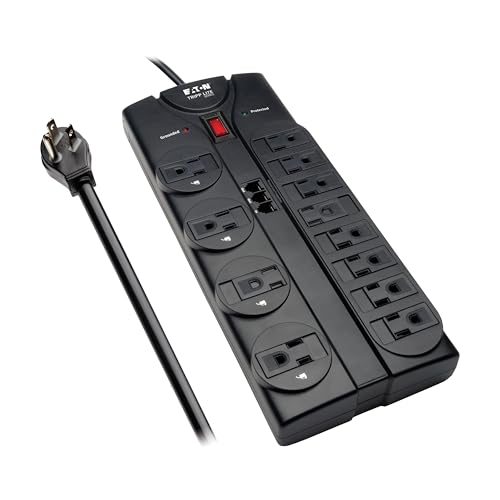
Eaton Tripp Lite TLP1208TEL Home Theater Surge Protector Power Strip, 12 Outlets, Flat Plug 8ft...
- OFFICE SURGE PROTECTOR: Features 12 outlets, a robust 2160 joule rating, and an 8ft extension cord with a flat plug. Four outlets fit bulky transformers without blocking...
- PHONE LINE PROTECTION: 1-in/2-out Home phone port (RJ11) help protect your phone land line, fax machine, DSL internet, or home alarm system from dangerous data line...
- PREMIUM SAFETY FEATURES: Reliable surge protector is both UL Certified and UL Listed to ensure your devices are protected. Includes a 15A circuit breaker and diagnostic...
If you need robust surge protection for a home theater or small office, the Eaton Tripp Lite TLP1208TEL (model TLP1208TEL) is a strong choice with a 2160-joule rating and 12 AC outlets. You can protect phones and DSL by using the included 6ft RJ11 cable to connect to the Tel/DSL protection ports. Mount using the keyhole slots on the bottom panel, or place it with the 8ft extension cord and flat plug for flush placement. Verify grounding with the diagnostic LEDs. The unit is UL Listed, has a 15A breaker, a lifetime warranty, and $150,000 insurance.
Best For: Home theater and small office users who need high-capacity surge protection and multiple outlets (including space for bulky transformers) plus Tel/DSL protection.
Pros:
- 2160-joule rating with 12 AC outlets (4 for bulky transformers) provides strong, flexible surge protection.
- Includes Tel/DSL (RJ11) protection, diagnostic grounding LEDs, UL listing, and an integrated 15A circuit breaker for safety and monitoring.
- 8ft flat plug extension cord, keyhole mounting slots, lifetime limited warranty, and $150,000 connected equipment insurance offer convenience and peace of mind.
Cons:
- Large power strip footprint may be bulky in tight spaces despite keyhole mounting.
- RJ11 Tel/DSL protection only covers phone/DSL lines, not multiple data/Coax/HDMI inputs without additional adapters.
- Permanent protection depends on internal components that can degrade over time; replacement required after major surges despite warranty coverage.
Recommended Products

HOME THEATER SURGE PROTECTOR FOR TV: Features 12 outlets, 2160 joule rating, and an 8ft extension cord with a flat plug. Four outlets fit bulky transformers without blocking other outlets. Package includes a 6ft phone line (RJ11) and 6ft Coax cable.

MULTI-OUTLET SURGE PROTECTOR LETS YOU CHARGE & POWER MULTIPLE DEVICES AT ONCE: Power everything on your desk with a single compact surge-protected extension cord. 12 AC outlets with surge protection charge your computer, laptop, phone, camera, and more.

Multi Function Power Strip:Power strip surge protector with 10AC outlets & 4 USB charging ports, 12-foot Heavy Duty power extension cord(1875W/15A) is long enough to reach the corner, surge protector (2700 Joules)with overload protection protects against spikes and fluctuations
RJ11 Telephone Fax Protector (Thunder Lightning Arrester)

RJ11 Telephone Surge Protector 10KA, Phone Line & DSL Modem Protection, Fax & Landline Arrestor...
- [10KA Powerful Surge Protection] This RJ11 telephone surge protector provides up to 10KA protection capacity, effectively shielding phone lines, fax machines, and DSL...
- [Fast Response & 2Mbps Transmission] Built for reliable performance, this phone line surge protector features ultra-fast response time (<1ns) and supports up to 2Mbps...
- [Multi-Level Safety Protection] Designed with an , this telecom surge device minimizes overvoltage risks and enhances durability, offering long-lasting protection for...
For facilities that handle sensitive phone or fax traffic, choose the RJ11 Telephone Fax Protector (Thunder Lightning Arrester) when you need fast, low-loss surge defense for a single line. You install the RJ11 protector on the incoming line, plug the handset or modem into the protected jack, and secure grounding per IEC instructions. The device uses a gas discharge tube plus a fast semiconductor with nanosecond response to divert spikes to ground. Expect low insertion loss and 110V nominal operation. It mounts in racks, meets international standards, requires no special maintenance, and fits all standard RJ11 interfaces.
Best For: Facilities and organizations that need fast, low‑loss surge protection for a single RJ11 telephone or fax line—such as telecom rooms, monitoring/control centers, financial institutions, and small office/home office setups.
Pros:
- Uses gas discharge tube plus fast semiconductor (nanosecond response) for effective transient diversion and low insertion loss.
- Complies with IEC/international standards, rack-mountable, easy to install, and fits standard RJ11 interfaces.
- Requires no special maintenance and is suitable for sensitive lines in telecom, data, transportation, and industrial control systems.
Cons:
- Designed for a single RJ11 line (110V nominal), so multiple-line protection requires additional units.
- Grounding per IEC instructions is required for proper operation, which may complicate installation in poorly grounded sites.
- Protection is focused on low-voltage telephone/fax lines and may not cover higher-voltage or non-RJ11 signal types.
Recommended Products

PROTECT ANY ELECTRONIC DEVICE FROM POWER SURGES & SPIKES: Surge Protector with seven outlets and built in RJ11 jacks protects your PC, personal computer, laptop, printer, scanner, router, phone, fax, modem, television, cable, satellite equipment, lamp or any other home/office electronics from dangerous power surges, spikes & line noise.

PROTECT ANY ELECTRONIC DEVICE FROM POWER SURGES & SPIKES: Surge Protector with seven outlets and built in RJ11 jacks protects your PC, personal computer, laptop, printer, scanner, router, phone, fax, modem, television, cable, satellite equipment, lamp or any other home/office electronics from dangerous power surges, spikes & line noise.
Adopt multi-level , low voltage, good effect.
CyberPower CSP100TW 1 Outlets 900 Joules Surge Suppressor (White)
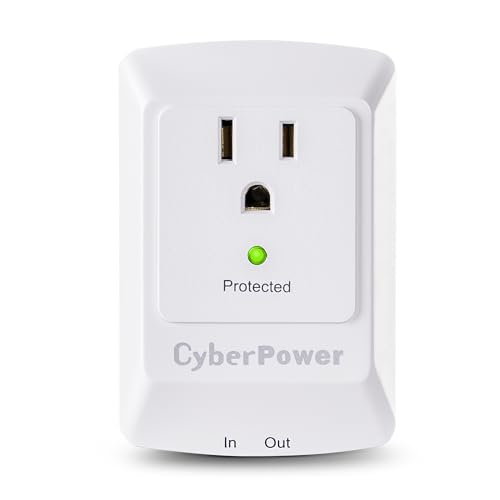
CyberPower CSP100TW 1 Outlets 900 Joules Surge Suppressor (White)
- ONE NEMA 5-15R OUTLET: Provides 900 joules of surge protection for home and office computers, electronics, and home theater equipment
- WALL TAP PLUG: Enables the model to be plugged directly into a wall outlet without a power cord; LED Indicator: Green LED indicator shows equipmpent is protected
- DATA LINE PROTECTION: Prevents power surges that travel through RJ11 ports for telecommunication devices (phones, faxes, modems, and DSL lines) from causing damage to...
The CyberPower CSP100TW is best for someone who needs a compact, wall‑mount surge suppressor with phone‑line protection, and you can install it in seconds by plugging the 1‑outlet unit directly into a standard wall receptacle. You get 900 joules of surge protection and one grounded outlet on a 3.5 x 2.0 x 1.0 inch body (approx.). Use the RJ11 port to protect a phone, fax, modem, or DSL line from spikes. Verify the green LED is lit to confirm protection. Connect equipment, monitor the LED, and replace the unit if the indicator fails. Limited lifetime warranty; $25,000 guarantee.
Best For: compact home or office users who need a simple wall‑mount surge suppressor with RJ11 phone‑line protection for a single device.
Pros:
- Provides 900 joules of surge protection in a very small, plug‑in wall tap form factor.
- RJ11 data‑line protection for phones, modems, faxes, or DSL.
- Green LED indicator and limited lifetime warranty with a $25,000 connected equipment guarantee.
Cons:
- Only a single grounded outlet limits connected devices to one plug.
- No USB ports or multiple outlets; not suitable for larger setups or power strips.
- Wall‑tap design can block adjacent receptacle use and offers limited surge capacity compared with larger UPS units.
Belkin Power Strip Surge Protector with 12 Outlets and 10 ft Flat Plug Extension Cord

Belkin Power Strip Surge Protector with 12 AC Multiple Outlets, 10 ft Long Flat Plug Heavy Duty...
- MULTI-OUTLET SURGE PROTECTOR: Power everything on your desk with a single compact surge-protected extension cord. 12 AC outlets with surge protection charge your...
- POWER BAR W/ PHONE LINE PROTECTION: 1-in-2-out RJ11 telephone or fax protection ensures open, continuous phone line connections, plus coaxial cable protection to...
- SAFEGUARD YOUR DEVICES & APPLIANCES: This extender has been run through extensive testing to ensure your expensive computers, monitors, hard drives, home theaters, and...
Home offices and small media centers will get the most value from the Belkin Power Strip Surge Protector with 12 outlets and a 10 ft flat plug extension cord. You can plug up to 12 devices into spaced outlets that accept large charger bricks. It delivers 4,156 joules of surge protection and includes 1-in-2-out RJ11 phone/fax protection plus coaxial protection for cable or satellite. The 10 ft flat plug cord, 3M long, fits behind furniture with a 3-prong angled plug. To install, mount the strip, route the cord, connect phone/coax lines, and test protected devices. Lifetime warranty included.
Best For: Home offices, small media centers, and anyone needing to protect and power many devices (including large charger bricks) in tight spaces.
Pros:
- Provides high 4,156-joule surge protection plus RJ11 and coaxial protection for phone/fax and cable/satellite.
- 12 widely spaced outlets accommodate bulky plugs and charger bricks.
- 10 ft flat plug extension cord with 3-prong angled plug and slim design fits easily behind furniture.
Cons:
- Large number of outlets and features can make the strip bulky for very small spaces.
- Heavy-duty build and cord may be heavier than basic strips, limiting portability for travel.
- Does not include USB charging ports, requiring separate adapters for USB-powered devices.
RJ11 Telephone Fax Surge Protector with Grounding Wire (110V)
HilBeliFU RJ11 Telephone Fax Surge Protector, 110V Thunder Arrester Protector with 10cm Grounding...
- Current Capacity: Thunder arrester protector has a maximum current capacity of 10KA under 8/20 μs waveform, which can effectively cope with strong surge impact. Audio...
- Multistage Protection: RJ11 telephone fax surge protector adopts advanced multi level protection circuit design, with a maximum limit voltage of only 180V. Thunder...
- Low Loss: Telephone lighting protector has an insertion loss of less than or equal to 0.5dB, with minimal impact on communication status. Telephone fax surge protector...
If you need surge protection for an SPC exchange or fax machine, choose the RJ11 Telephone Fax Surge Protector with grounding wire (110V), model by HilBeliFU. You can install it in series on your RJ11 line, connecting the input and output to phone jacks. It supports 10KA (8/20 μs), limited voltage 180V, and 2Mbps adaptive rate. The metal unit measures 3.1 x 1 x 1 in, weighs 3.7 ounces, and fits IP20 environments. Response time is ≤1ns, insertion loss ≤0.5dB. Ground the included wire to earth. Check the manufacturer warranty and one-year support.
Best For: Small offices or home users needing line-level surge protection for SPC exchanges or fax/telephone lines using RJ11 connections.
Pros:
- Compact metal design with fast response (≤1ns) and low insertion loss (≤0.5dB) to preserve call/data quality.
- High through-current capacity (10KA, 8/20 μs) and multistage protection for robust surge defense.
- Includes grounding wire and supports up to 2Mbps transmission rate; wide temperature range (-40°C to +80°C).
Cons:
- Protection level IP20 limits use to indoor, dry environments only.
- Limited to 110V systems and RJ11 lines—unsuitable for higher-voltage or different interface types.
- Manufacturer information and warranty/support details may be limited (single listed customer rating).
Recommended Products
PROTECT ANY ELECTRONIC DEVICE FROM POWER SURGES & SPIKES: Surge Protector with seven outlets and built in RJ11 jacks protects your PC, personal computer, laptop, printer, scanner, router, phone, fax, modem, television, cable, satellite equipment, lamp or any other home/office electronics from dangerous power surges, spikes & line noise.

MULTI-PLUG WALL OUTLET EXTENDER: Portable travel surge protector features 5 outlets and a 1080 Joule rating at less than 1 nanosecond response time. Diagnostic LEDs green "Protected" and red "Grounded" LED illuminates to show device is operating.
Tripp Lite / Eaton 12-Outlet Surge Protector Power Strip with 2 USB Ports and 4320 Joules
Sale
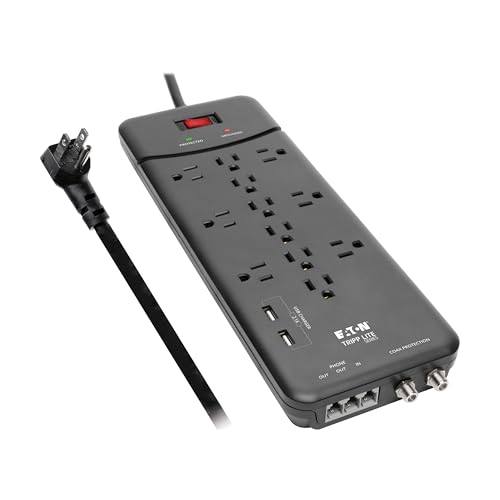
Eaton Tripp Lite TLP128TTUSBB Surge Protector Power Strip, 2 USB Charging Ports, 12 Outlets, Flat...
- HOME THEATER SURGE PROTECTOR FOR TV: Features 12 outlets, a robust 4320 joule rating, and an 8ft extension cord with a flat plug. Two USB Charging Ports provide 2.1A of...
- TV, PHONE, MODEM, & WIFI ROUTER PROTECTION: 1-in/2-out Phone ports (RJ11) and silver Coaxial connectors help protect your cable TV, satellite equipment, phone, fax...
- PREMIUM SAFETY FEATURES: Reliable surge protector is both UL Certified and UL Listed to ensure your devices are protected. Includes a 15A circuit breaker and diagnostic...
You’ll want the Eaton Tripp Lite TLP128TTUSBB if you need high-capacity surge protection for a home theater or small office with many devices. You can plug up to 12 devices into the 12-outlet power strip. It provides 4320 joules of surge suppression and uses an 8 ft extension cord with a flat plug. Six outlets accept bulky transformers without blocking neighbors. Mount it using keyhole slots on the bottom panel. Connect phone lines via the 1-in/2-out RJ11 ports and coax with silver connectors. Check UL listing, diagnostic LEDs, 15A breaker, and register for the $150,000 warranty.
Best For: Home theater owners or small office users who need high-capacity surge protection and many outlets for TVs, AV components, routers, and chargers.
Pros:
- 4320 joules of surge suppression with 12 outlets and 2.1A across 2 USB ports supports many devices and offers strong protection.
- Six widely spaced outlets accommodate bulky transformers without blocking adjacent plugs; includes 8 ft flat-plug cord for flexible placement.
- Data-line protection with RJ11 and coax connectors, UL listing, diagnostic LEDs, 15A breaker, and $150,000 connected equipment coverage.
Cons:
- Large number of outlets and features make it bulkier than basic power strips, which may be overkill for minimal setups.
- USB ports provide a combined 2.1A — adequate for phones but slower than newer high‑speed chargers for tablets or fast-charging phones.
- Permanently attached 8 ft cord limits plug location beyond that length; no detachable cord option.
Factors to Consider When Choosing a Phone Line Surge Protector
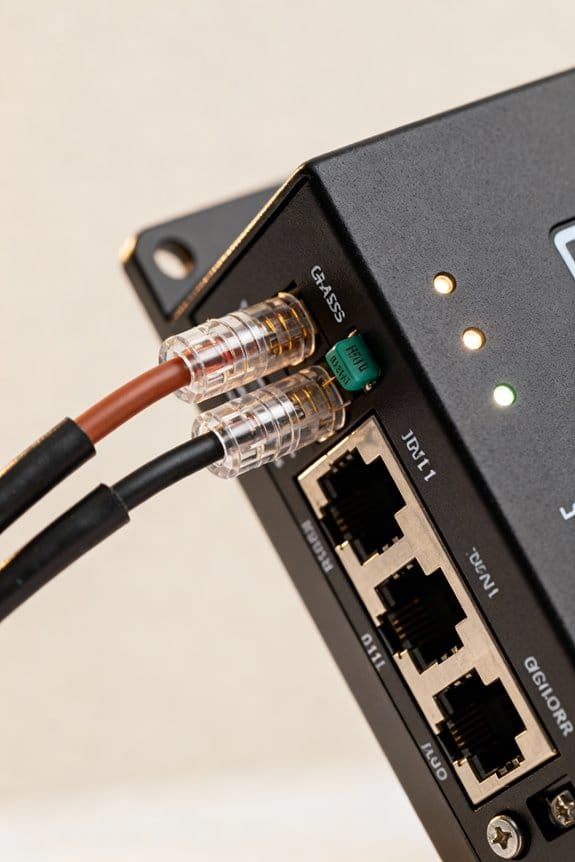
When you choose a phone line surge protector, check line compatibility first by matching RJ11 or RJ45 connectors and confirming support for single- or multi-pair wiring. Compare clamping voltage (typical 5–90 V), response time under 1 nanosecond, and protection rating such as 600 W or UL 1449 listing, and note product codes like APC PNET1GB or Tripp Lite TLPS2. Finally, plan installation location: mount within 3 feet of the network demarcation, indoors at 32–104°F, and follow step-by-step wiring instructions in the included manual.
Line Compatibility
Start by matching the connector type to your equipment; most residential phones use RJ11 (6P2C) while networked VoIP modems use RJ45 (8P8C), so choose a surge protector with the corresponding jack. Next, confirm the protector’s voltage and current ratings meet or exceed your device specs, for example 48 VDC and 500 mA for many phone lines. If you use DSL, pick a model explicitly labeled DSL-compatible or POTS+DSL and check passband up to 4 MHz. For telecom control lines, verify low-voltage design, typically under 60 V. Look for listed response time, under 1 ns preferred for transient suppression. Finally, match cable wiring pinouts (tip/ring) and use short patch cables (less than 1 m) to reduce loss.
Clamping Voltage
Clamping voltage tells you the highest voltage a protector will let through before it shunts a spike away from your equipment. You should pick a protector with a lower clamping voltage to protect sensitive gear. Most phone-line protectors rate about 200–400 V; aim for 200–250 V when you have modems or VoIP adapters. Check device voltage ratings and confirm the protector’s clamp sits below those values. For example, choose a model listed as CLAMP=230V or part number PLSP-230 for tighter limits. Compare datasheets: note clamp voltage, surge current rating, and connector type. Install inline on the incoming line, test continuity, and replace units after a major surge. Record model and clamp voltage for future reference.
Response Time
Although often overlooked, response time tells you how fast a surge protector reacts to a spike, and it’s measured in nanoseconds (ns). You should check manufacturer specs for response time listed as, for example, 0.5 ns or 1 ns. You can prefer devices under 1 ns for critical equipment and modems. Compare models by noting exact figures on datasheets, product code, and test reports. Step 1: locate the response time value on the product page or manual. Step 2: record the number and unit. Step 3: compare similar devices; choose the lower ns value. Faster response reduces transient voltage exposure and helps preserve data integrity on phone lines. Always balance response time with other specs before you decide.
Protection Rating
When you pick a phone line surge protector, check the protection rating first because it tells you how much energy the unit can absorb, usually measured in joules. You should look for ratings between 2160 and 4320 joules for robust protection. Choose a unit with low clamping voltage, for example under 5V, so it activates quickly. Verify response time is in nanoseconds, ideally below 5 ns, to stop spikes fast. Confirm the device lists data line protection for RJ11 or RJ45 with explicit specs, such as 600W or part code PL-2160. Read the product label and manual step by step: note joule rating, clamping voltage, response time, and supported line types before purchase.
Installation Location
Now that you’ve checked protection ratings like PL-2160 and confirmed joules, clamping voltage, and response time, pick an installation spot that keeps the protector as close to the wall outlet as possible. Position the unit within 1 meter (3.3 ft) of the device to minimize unprotected wiring. Mount at a central location if you protect multiple lines, so all cords reach without stretching. Install the protector in a dry area, away from sinks, HVAC drains, or exterior walls prone to condensation. Use a short, direct cable to the outlet and secure connections per manufacturer code PL-2160 instructions. Check accessibility for inspection and replacement. You can label cables and document placement, model number, and installation date for future maintenance.
Grounding Requirements
Ground the surge protector to a verified earth point within 1.0 meter (3.3 ft) of the unit, and connect the protector’s grounding conductor to a dedicated grounding electrode or equipment grounding bus per local code PL-2160 instructions. You should use a minimum 14 AWG copper grounding conductor, routed with no sharp bends, and fasten with a listed grounding clamp. Verify the ground resistance is ≤25 ohms using a ground tester or clamp meter per ANSI/NEC practices. Mount the protector within 1.0 meter of the phone modem or NID to maintain short ground paths. Label the grounding connection with date and installer initials. Test grounding quarterly and after storms, recording results. If resistance exceeds limits, contact a licensed electrician to upgrade the electrode system.
Data Signal Integrity
Proper grounding sets the stage for preserving data signal integrity, but you also need to check the protector’s electrical characteristics before installation. You should choose a unit with low insertion loss, typically under 1 dB, to avoid degrading voice or data. Verify response time is below 1 ns so transient spikes never distort sensitive signals. Look for IEC61643-21 compliance or equivalent to confirm tested protection methods. Inspect specs for capacitance under 10 pF and DC resistance under 1 ohm to minimize signal attenuation. For installation, route the cable less than 1 m to the protector, attach a short green/yellow ground lead to building earth, and torque ground terminal to manufacturer torque spec, often 0.5–1.0 N·m.
Warranty Coverage
Want clear protection if a surge damages your equipment? You should check warranty coverage before buying a phone line surge protector. Compare device warranty lengths, from one year to lifetime, and note exact terms like Model PX-200’s 5-year warranty. Look for added insurance for connected equipment, often capped at amounts such as $5,000 or $25,000, and confirm claim limits. Read exclusions carefully; damage from improper use or nonstandard environments often isn’t covered. Longer warranties may signal manufacturer confidence in durability and performance. Inspect customer feedback for real-world warranty response times and claim outcomes. If possible, register the product within 30 days and keep receipt, serial number, and claim steps handy for faster service.
Frequently Asked Questions
Can Surge Protectors Block Spam or Robocalls on Phone Lines?
Like a filter screen, surge protectors don’t block spam or robocalls. You can’t stop unwanted calls with surge devices because they only limit voltage spikes to under 600 volts and clamp response under 1 nanosecond. Instead, you can use call-blocking hardware or carrier services. Install a device like CP-DB1 (RJ11) inline at the wall jack, dial your carrier’s call-block code, or configure a VoIP blocker using SIP headers and specific ACL rules.
Will Surge Protectors Work With Voip Phones and Adapters?
Yes, you can use surge protectors with VoIP phones and adapters. Choose an RJ11/RJ45 protector rated for 1 kA surge current, model like Tripp Lite ProtectIT TLP2RJ45 or APC ProtectNet PNET1. Connect the incoming Ethernet/phone cable to the protector’s IN jack, then run OUT to your adapter. Ground the protector with a 14 AWG (2.08 mm²) copper wire to a verified earth ground. Test with a multimeter after installation.
How Often Should I Replace a Phone Line Surge Protector?
Think of the surge protector as a lightning-roof tile: you should replace it every 3–5 years. You can inspect model SPD-PL01 or Belkin F9C600-06, check for discoloration, burn marks, or failed indicator LED. Step 1: disconnect phone and modem. Step 2: measure continuity with a multimeter, set to 200Ω. Step 3: replace if resistance exceeds 5Ω or LED is off. Document date and serial number.
Can Surge Protectors Protect Cable Internet (Coax) Lines Too?
Yes, you can protect coax cable lines with surge protectors designed for RG6/RG59. Choose a protector rated for 75 ohm, with <0.5 dB insertion loss and clamp voltage around 90–120V. Install inline at the entry point, connect ground with a 6 AWG or 8 AWG copper wire no longer than 18 inches, and tighten to 20–25 ft-lb torque. Test continuity with an ohmmeter after installation.
Do Surge Protectors Affect Internet Speed or Signal Quality?
Yes, surge protectors usually won’t affect internet speed or signal quality if you use properly rated units. You can choose a protector with <1 dB insertion loss and RG6 F-type connectors for coax, or RJ11/RJ45 rated for CAT5e/CAT6 with <0.5 dB loss. Install by unplugging modem, connecting protector inline, then powering modem. Use model SP-900C or TP-Link TL-POE150S for specific devices and test with a 100 Mbps speed test.