As an Amazon Associate, we earn from qualifying purchases. Some links on this site are affiliate links at no extra cost to you. Our recommendations are based on thorough research and editorial judgment.

10 Best Desk Surge Protectors of 2026 — Top Picks to Keep Your Gear Safe

You can protect up to 17 devices with clamp-on strips like the Dual Layer Desk Clamp (13 AC, 4 USB, 2 USB-C, 1700 J, clamps to 7 cm/2.75 in edge, 6 ft cord). Choose the 12-outlet Tower (12 AC, 4 USB, 1080 J) for a compact 5.5 x 5.5 in footprint. For small setups, use the 4-outlet clamp (2 USB-C, 2 USB-A, 1080 J). Continue for detailed specs, wattage limits, and safety tips.
Key Takeaways
- Prioritize surge protectors with at least 600 J, ideally 900–1700 J, for reliable protection of sensitive electronics.
- Choose models combining sufficient AC outlets and spaced sockets for bulky adapters to avoid blocked plugs.
- Select USB-C ports with adequate wattage (20W+) and total USB output to fast-charge multiple devices simultaneously.
- Opt for clamp-on or vertical tower designs to save desk space while matching your workspace layout.
- Verify safety certifications (UL/ETL), 8-point protections, and warranties to ensure long-term surge defense and fire resistance.
Dual Layer Desk Clamp Power Strip with 13 Outlets, 4 USB Ports (2 USB-C) and 1700J Surge Protector
Sale


HOPOW Dual Layer Desk Clamp Power Strip, Desktop Edge Mount Charging Station with 13 Outlets 4 USB...
- 【17-in-1 Desk Clamp Power Strip & Multi-purpose】: The desk clamp power strip is a combination of two power strips, equipped with 13 AC outlets and 4 USB (2 USB-C...
- 【Freely Adjustable to Table Thickness & Stable Anti-slip Mat】: This desktop clamp power strip can be freely adjusted according to the thickness of the table, the...
- 【1700 Joule Surge Protector & 15A Overload Protection Switch】: The desk clamp power strip has a 1700-Joule energy rating providing a reliable surge protector that...

You may be interested
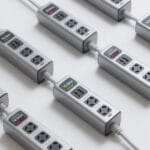
If you need to power many devices at a single workstation, this dual layer desk clamp power strip is built for that task; it gives you 13 AC outlets plus 4 USB ports (including 2 USB‑C) so you can run 17 devices at once. You can clamp it to desks up to 7 cm (2.75 in) thick using the adjustable clamp. Remove the top strip for travel and mount the bottom strip on a wall if needed. Plug into the 10 ft, 0.33 in flat cord and route it neatly. The unit provides 1700 J surge protection and a 15A overload switch.
Best For: power users at a single workstation who need to run many devices simultaneously (deskside setups, home offices, gamers, and small workstations) with flexible mounting and travel options.
Pros:
- High capacity: 13 AC outlets plus 4 USB ports (including 2 USB‑C) to power up to 17 devices at once.
- Flexible design: removable top strip for travel and bottom strip can be wall-mounted; adjustable clamp fits desks up to 7 cm (2.75 in).
- Safety and convenience: 1700 J surge protection, 15A overload switch, 10 ft ultra-thin flat cord for easy routing.
Cons:
- Large/complex unit may be overkill for minimal setups or very compact desks.
- Clamp thickness limit (7 cm / 2.75 in) may not fit all furniture edge profiles.
- Multiple devices drawing high power could approach the 15A/1875W limit, requiring attention to load distribution.
Recommended Products
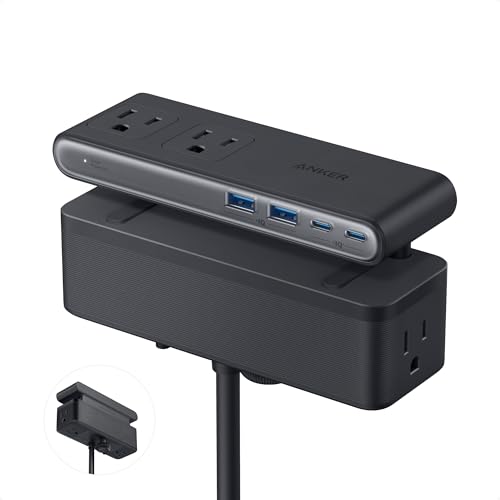
Dual-Zone 10-Port Layout: Features 6 AC outlets, 2 USB-C, and 2 USB-A ports, split into top and bottom zones to reduce clutter and simplify charging.

【8 in 1 Desk Clamp Power Strip】This under desk power strip can turn 1 socket into 4 AC outlets with 2 USB-A ports, 1 USB C Port, and a 30W USB C PD Charger, can charge 8 devices simultaneously without a converter, keep your desk organizer; It must-haves for home office essentials, college dorm room bedroom essentials for guys, girls. Ideal for small desks, standing desks, gaming desks, and workbenches.

Desk Clamp Power Strip: The 5 AC outlets are spaced well apart, cleverly arranged on three sides, facing outwards, which makes the surge protector power strip fit multiple bulky power adapters and helps those bulky plugs sit properly and not dislodge. This desk power strip is mountable, The clamp fits desktops ranging from a maximum of 1.97" thick. 1250W (125V / 10A)
Surge Protector Power Strip Tower with 12 Outlets and 4 USB (2 USB-C) Charging Station

Surge Protector Power Strip Tower, 12 Outlets 4 USB (2 USB C) Desktop Charging Station for Multiple...
- 【16 IN 1 Charging Station】- This power strip tower with 12 AC outlets(1875W/15A) and 4 smart USB (2 USB C) charging ports can power up to 16 electronic devices...
- 【Power Strip With USB C Ports, Charge Up to 30% Faster 】- Dual USB A ports features 2.4A, the USB C port features 3A; 2 types of USB ports can detect charged devices...
- 【Power Strip with Surge Protection & Overload Protection】- The surge protector tower with overload protection protects against spikes and fluctuations. The reset/off...
This surge protector tower is best for students, home office users, and small-business owners who need to charge many devices at once; it delivers 12 AC outlets (1875W/15A) plus four USB ports, including two USB-C ports, so you can power up to 16 devices simultaneously. Place the 4-side vertical tower on a desk footprint of about 5.5 x 5.5 inches. Plug the flat 0.35-inch plug into a wall socket at a 45° angle. Use the 6FT pure copper braided cord to reach outlets. The unit offers 1080J surge protection and multiple safety cutoffs; connect devices and monitor charging.
Best For: Students, home-office users, and small-business owners who need to charge many devices at once with a compact, space-saving tower.
Pros:
- Offers 12 AC outlets plus 4 USB ports (including 2 USB-C) to power up to 16 devices simultaneously.
- 1080J surge protection with multiple safety cutoffs and a fire-resistant PC shell for enhanced safety.
- 4-side vertical design and 6ft pure-copper braided cord with flat 45° plug save desk space and prevent plug blocking.
Cons:
- 1875W/15A total capacity may limit simultaneous high-wattage device use.
- Tower height and vertical layout may be less convenient for very tight or low-clearance spaces.
- Not a dedicated high-speed PD charger for multiple USB-C laptops at full wattage.
Recommended Products

17 in 1 USB Power Strip: This flat power strip 15 ft could turn 1 socket into 12 AC outlets and 5 USB ports, charge 17 devices simultaneously without blocking, keep your desktop organized; Tower power strip with individual switches design

16 in 1 Power Strip Tower: This power strip with USB C provides 12 AC sockets, 3 USB-A ports, and 1 USB-C port, plug in 4 sides, so you can connect up to 16 devices at the same time; You can also use the surge protector power strip with usb elsewhere because the power strip surge protector supports wide voltage; Please do not exceed the rated power 1250W ~ 125V (2500W ~ 250V)

12 IN 1 FLAT PLUG OUTLET EXTENDER: The surge protector power strip tower expands 1 wall outlet into 8 125V/10A AC power outlets, 2 5V/2.4A USB-A ports, and 2 5V/3A USB-C ports, while supporting the charging of up to 12 devices. AC outlets are spaced up to 2.95 inches apart to accommodate virtually any size plug. Lets you keep your desktop tidy.
HANYCONY Surge Protector Power Strip with 8 Outlets and 4 USB Ports (2 USB-C), 5ft Braided Cord, Flat Plug, Wall-Mount Charging Station

Surge Protector Power Strip - HANYCONY 8 Outlets 4 USB (2 USB C) Charging Ports, Multi Plug Outlet...
- 【12 IN 1 Power Strip & 2.2 IN Wide Space】- 3-side design power strip surge protector with 8AC widely outlets and 4 USB (2 USB C) charging ports can power up to...
- 【2 x USB C Power Strip】- Added extra 2 USB C ports for your devices, the USB C port can charge up to 5V/3A. USB-A ports can charge up to 5V/2.4A Max, all USB Ports...
- 【Overload Surge Protection】- The surge protector power strip with overload protection protects your electrical appliances from lighting, surges or spikes. The minimum...
Professionals and students who need to power many devices at a desk will find the HANYCONY surge protector an efficient choice; it gives you 8 AC outlets plus 4 USB ports (including two USB-C) so you can run up to 12 devices at once. You can mount it on a wall using the built-in slots and flat plug, saving desk space. Place outlets with 2.2-inch spacing to fit large adapters. USB-C ports supply 5V/3A, USB-A supply 5V/2.4A, total USB output 5V/3.1A max. The unit offers 1,080J surge protection, a lighted switch, and a 5ft braided cord.
Best For: Professionals, students, and anyone needing to power and charge many devices at a desk or in tight spaces such as dorms or offices.
Pros:
- 8 AC outlets plus 4 USB ports (2 USB-C) let you run up to 12 devices simultaneously, with 2.2″ spacing to fit large adapters.
- USB-C (5V/3A) and USB-A (5V/2.4A) with smart charging and combined USB output up to 5V/3.1A for faster device charging.
- 1,080J surge protection, lighted on/off switch with circuit breaker, ETL and RoHS certifications, flat plug and wall-mountable design with a durable 5ft braided cord.
Cons:
- Total USB output limited to 5V/3.1A (15.5W) may not support full-speed charging for multiple high-demand devices simultaneously.
- 1,080 Joules of surge protection is moderate but lower than some heavy-duty surge protectors for high-end equipment.
- No USB Power Delivery wattage listed for higher-power USB-C charging (e.g., laptops needing >45W).
Recommended Products

【10-IN-1 Desktop Power Strip with USB C Fast Charge】— With 6 AC outlets, 2 USB ports and 2 USB C power strip, power up 9 devices simultaneously. USB C charging port features 3A Max, USB A charging port features 2.4A Max, With smart charging technology, it can auto-detect your connected devices and can reach faster-charging efficiency, which would charge your devices WITHOUT a variety of converters.
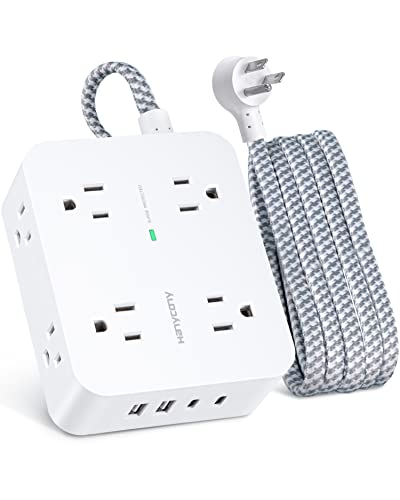
【12 IN 1 Power Strip with USB】- The 3-side power strip surge protector with 8AC widely outlets and 4 USB charging ports(Total 5V/3.1A) can power up to 12 devices simultaneously. It could charge your cellphone, laptop, tablet, cameras without a variety of converters, save your space and make your desktop organize, perfect suitable for your desktop or nightstand home, office, travel, college dorm room
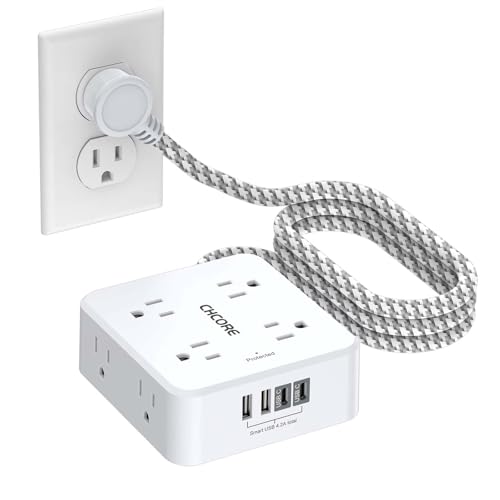
【12 IN 1 Surge Protector Power Strip】- The 3-side design surge protector power strip with 8AC widely outlets and 4 USB charging ports(2 USB C Ports), 5 Feet extension cord, can power up to 12 devices simultaneously. The compact design saves more space, suitable for the home, office, and college dorm room essentials.
Jgstkcity Desk Clamp Power Strip with 2 PD 20W USB-C Ports and 3 Outlets
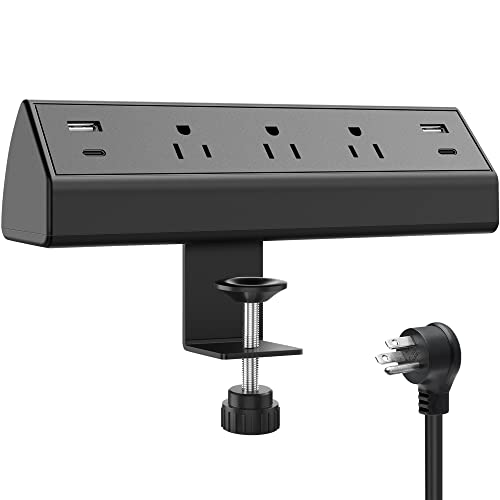
Jgstkcity Desk Clamp Power Strip,40W Total Fast Charging Station,2 PD 20W USB C Ports,Desk Edge...
- Versatile power dock and USB charger mount to the deck surface with an edge mount bracket for a secure hold. it clamps onto the back or side of your desk for a...
- Desk Mount USB Charging Power Station:2 PD 20W USB- C (each USB C port features PD 20W Max) & 2 QC3.0 USB- A Port(each USB A port features 3A Max). (Note: 40W is the...
- Power Station Desk Surge Protector with Desk Clamp Edge Mount Bracket: The table needs to keep a distance of 0.4"-0.5" from the wall. The clamp fits desktops ranging from...
You’ll find the Jgstkcity Desk Clamp Power Strip best for small home offices and shared desks where fast USB-C charging and space-saving mounting matter. You can clamp it to a desk edge up to 1.96″ thick without screws, fitting 0.4–0.5″ from a wall for ideal clearance. Install by tightening the secure edge mount bracket until semi-permanent hold is achieved. Use two PD 20W USB-C ports, two QC3.0 USB-A ports, and three widely spaced AC outlets to charge up to six devices. The flat plug, 6 ft cord, ETL listing, 1500W and 900 J rating guarantee safe, organized power.
Best For: Small home offices and shared desks where fast USB-C charging, space-saving edge mounting, and cord organization are priorities.
Pros:
- Provides two PD 20W USB-C ports and two QC3.0 USB-A ports for fast charging multiple devices simultaneously.
- Clamps to desk edge (up to 1.96″ thick) without screws, saving space and avoiding surface damage.
- Safety-focused design: ETL listed, 1500W/12A rating, 900 J surge protection, fireproof plastic, and a flat plug with 6 ft cord.
Cons:
- Requires 0.4–0.5″ clearance from the wall for optimal installation, which may not work on tightly placed desks.
- Limited total USB-C output (each port max 20W; combined USB-C output constrained to 40W), potentially insufficient for high-power laptops.
- Semi-permanent clamp may not be as stable as bolted mounts for very heavy or high-movement setups.
Recommended Products
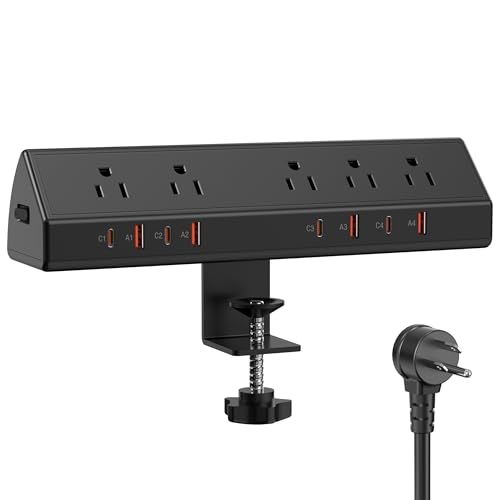
Office & Home Desk Organizer with Secure Edge Mount: Transform your workspace with our versatile power dock designed for modern desks. Universal Clamp: Secures to desks, nightstands, or tables.

【13-in-1 Desk Mount Power Strip】 - This desk charging station features two independent switches, 10 AC outlets (125V/12A/1500W), and 3 USB ports, including a 20W USB-C fast-charging port. With the ability to charge up to 13 devices at once, this power station helps save time and provides versatile charging options for all your needs.

【8-in-1 Desk Clamp Power Strip with Smart USB Ports 】Equipped with 4 AC outlets and 4 USB ports, this desk power strip turns 1 outlet into 8, allowing you to power 8 devices simultaneously to save more time. No need to find plugs or adapters for USB devices, this desktop charging station is equipped with 2 USB-C port and 2 USB-A ports, built-in smart charging technology allows the USB to intelligently detect your electronic devices and charge for your smartphone, tablet, smartwatch, and more.
Desk Clamp Power Strip with USB-A and USB-C Ports, 4 AC Outlets — Desk Mount Surge Protector for Home Office

Desk Clamp Power Strip, Flat Plug Fast Charging Station, Desk Mount Surge Protector with PD 20W USB...
- 【8-in-1 Desk Clamp Power Strip with USB】- Desk charging station comes with 2*USB-C ports + 2*USB-A ports + 4 AC outlets. Connected with 6ft extension power cord...
- 【PD 20W USB-C Fast Charging Station】- 2 PD 20W USB- C (each USB C port features PD 20W Max) & 2 QC3.0 USB- A Port(each USB A port features 3.4A Max, you can charge...
- 【High Quality Material & Surge Protector】- Desk power station is made of 1382°F heat-retardant ABS+PC material. It provide 1875W overload protection (the red button...
If you need a compact, mountable power solution for a home office, pick the desk clamp power strip with 2 USB-C, 2 USB-A ports and 4 AC outlets. You can clamp it to desks up to 1.7 inches thick without drilling, tighten the button until secure. The unit measures 9.45 x 1.57 x 0.1 inches and weighs 1.19 pounds. It provides 1875W/125V/15A to AC outlets and 17W/5V/3.4A to each USB output. Surge protection is 1080J with an overload reset button. Use the 6 ft cord and flat plug to hide behind furniture and route cords neatly.
Best For: Individuals who need a compact, clamp-mounted power solution to charge multiple devices and power peripherals at a home or small office desk without drilling.
Pros:
- Compact clamp design mounts to desks up to 1.7″ thick for easy installation and space-saving cable management.
- Includes 4 AC outlets plus 2 USB-C and 2 USB-A ports (17W/5V/3.4A each) to charge laptops, phones, and accessories simultaneously.
- Surge protection (1080J) and overload reset button with heat-retardant ABS+PC construction for enhanced safety.
Cons:
- USB output limited to 17W per port, which may be insufficient for fast-charging some high-power laptops.
- Clamp fit limited to desks 1.7″ thick, not suitable for thicker surfaces or some irregular edge profiles.
- Best Seller Rank and customer ratings indicate popularity but may not reflect premium build compared to higher-end surge protectors.
Recommended Products

Space-Saving Desk Clamp Design:Secure your workspace with the clamp-on surge protector designed for 1.69"" thick desk edges. The 6ft heavy-duty cord and flat plug fit snugly against walls (0.4""-0.5"" clearance), while the anti-slip clamp keeps cables organized and your desk clutter-free.

11-in-1 Desk Clamp Power Strip: This desktop mount Extension Cord is a home and office essential, combining 5 widely spaced AC outlets (1250W, 10A) and 6 USB ports (2 USB-A, 4 USB-C). This power station can charge up to 11 devices at once, making it the ultimate desktop power strip with advanced charging capabilities for all your ports.

Office Organizers for Desk: Versatile power dock and USB charger mount to the desk surface with an edge mount bracket for a secure hold. it clamps onto the back or side of your desk for a semi-permanent mount that won’t be knocked back into your nest of cables.
Anker Power Strip Surge Protector with USB-A and USB-C Ports (2100J)

Anker Power Strip with 2100J Surge Protector, Outlet Extender, 20W, 12 AC
- All the Power You Need: Features 12 AC outlets, 1 USB-C port, and 2 USB-A ports to give you everything you need to power up all of your appliances and mobile devices.
- Fast Charge Your iPhone: Use the 20W USB-C port to give your iPhone 15 a high-speed charge from 0-50% in just 26 minutes.
- 8-Point Safety System: Combines surge protection, fire resistance, overload protection, temperature control, and more to protect you and your devices.
Choose the Anker Power Strip Surge Protector (model 2100J) if you need a compact desk hub with many outlets and fast charging. You get 12 AC outlets, one USB-C port (20W), and two USB-A ports on a 5ft cord. To charge an iPhone 15 from 0–50% in 26 minutes, plug it into the USB-C port. Mount using the two included screws, placing the strip within reach and away from heat. The 8-point safety system provides surge protection, fire resistance, overload protection, and temperature control. You also get an 18-month warranty and $200,000 equipment coverage.
Best For: Small-office or home users who need a compact desk hub with many AC outlets and a fast 20W USB-C charger for quick phone top-ups.
Pros:
- 12 AC outlets with optimized spacing accommodate bulky plugs and power multiple devices from one strip.
- 20W USB-C port provides fast charging (e.g., iPhone 15 0–50% in ~26 minutes).
- Robust safety and assurance: 8-point safety system, fire resistance, overload protection, 18-month warranty, and $200,000 connected equipment coverage.
Cons:
- Only one USB-C and two USB-A ports may be limited for users who need more high-speed USB charging options.
- 5ft cord may be too short for some room layouts without additional extension.
- Large number of outlets can encourage overloading if used irresponsibly despite protections.
Power Strip Surge Protector with 8 Outlets and 4 USB Ports (2 USB-C), 5FT Heavy Duty Extension Cord
Sale

Power Strip Surge Protector, Flat Plug, Wall Mount
- 【12 IN 1 Power Strip with USB-C】- The extension cord with 8 AC outlets and 4 USB ports can power up 12 devices simultaneously. USB C charging port features 5V/3A Max...
- 【3 Side Design & Wide Spaced Outlets】- 3-side design and each AC outlets with 2 inches space in between, larger than standard 1.5 inch socket. Making it enough to fit...
- 【Surge Protection & Overload Protection】- 900 Joules surge protector with overload protection protects your electrical appliances from lighting, surges or spikes. The...
For users who need to power many devices in a small space, the 12-in-1 Power Strip Surge Protector is a precise choice because it supplies 8 AC outlets plus 4 USB ports (including 2 USB-C) so you can run up to 12 devices at once. You get USB-C at 5V/3A max and USB-A at 5V/2.4A max for fast charging. The compact 3-sided design spaces AC outlets 2 inches apart for large adapters. Mount it via two keyhole slots, plug the flat plug into tight spaces, and use the 5 ft pure-copper cord. 900J surge and resettable breaker protect equipment.
Best For: Home, office, or dorm users who need to power and charge many devices in a compact space while protecting electronics from surges.
Pros:
- Provides 12 simultaneous connections (8 AC outlets + 4 USB, including 2 USB-C) to reduce multiple chargers.
- Space-saving 3-sided layout with 2″ spacing and flat plug fits large adapters and tight behind-furniture spots.
- Safety features include 900J surge protection, resettable circuit breaker, and short-circuit/over-current/over-voltage/overheating protection.
Cons:
- 900 joules of surge protection is moderate and may be lower than higher-end surge protectors for sensitive equipment.
- USB-C output is limited to 5V/3A (no PD high-watt charging for laptops).
- 15A/UL rating and 5 ft cord may restrict placement and total high-draw device usage on a single strip.
Anker 300J Flat Plug 10-in-1 Ultra Thin Power Strip with 6 AC, 2 USB-A & 2 USB-C Ports
Sale


Anker Power Strip with 300J Surge Protector, 5ft Outlet Extender, 20W, 6AC
- Slim and Efficient: Sleek dimensions of 6.29 × 3.13 × 1.22-inch ensure your desk remains clutter-free while consistently delivering reliable power.
- 10-in-1 Power Hub: Equip yourself with 6 AC outlets, 2 USB-A ports, and 2 USB-C ports for efficient multitasking and quick charging.
- No Struggle, Just Plug: With an ergonomic flat plug design, you'll experience smooth, easy plug-ins every time.
The Anker 300J Flat Plug 10-in-1 Ultra Thin Power Strip suits students and remote workers who need a compact, multi-device charger. You get 6 AC outlets, 2 USB-A, and 2 USB-C ports for charging laptops, phones, and peripherals. Measure 6.29 × 3.13 × 1.22 inches, flat and foldable for tight desks or dorm drawers. To use, unfold the flat plug, align the strip near your workspace, then plug into a wall outlet. Register the product for the 18-month warranty and $200,000 connected equipment guarantee. Contact Anker support for setup or warranty claims.
Best For: students and remote workers who need a compact, multi-device charging station for tight desks, dorms, or home offices.
Pros:
- Compact, ultra-thin flat plug design that folds for easy storage and fits tight spaces.
- 10-in-1 connectivity with 6 AC outlets, 2 USB-A, and 2 USB-C ports for charging multiple devices simultaneously.
- Includes an 18-month warranty and a $200,000 connected equipment guarantee for added protection.
Cons:
- Limited to six AC outlets, which may be insufficient for users with many large plugs or power-hungry devices.
- Compact size may limit spacing between AC outlets, making bulky adapters harder to use simultaneously.
- No mention of surge indicator light or advanced surge protection features beyond the connected equipment guarantee.
Anker 9-in-1 100W USB-C Charging Station Power Strip with Surge Protection

Anker Desktop Charger, 9-in-1 Power Strip with 300J Surge Protector, 100W
- Our chargers and accessories don't just power up your devices, they offer the tech experience you want with zero restrictions.
- 9-in-1: 3 AC outlets, 4 USB-C ports, and 2 USB-A ports. USB-C1 and C2 each support up to 100W when used individually.
- Robust Safety Setup: The 8-point safety system is engineered to help protect your devices from overvoltage, short circuits, and other risks.
If you need to charge a laptop and several phones at once, the Anker 9-in-1 100W USB-C Charging Station Power Strip with Surge Protection gives you that capability in a compact package. You plug the flat 5 ft cable into a wall outlet, place the 9-in-1 unit on your desk, then connect up to 3 AC devices, 4 USB-C devices, and 2 USB-A devices. The unit delivers 100W total output and 300J surge protection. Its 8-point safety system prevents overvoltage and short circuits. For best results, prioritize the laptop on a USB-C port that supports 100W charging.
Best For: Anyone who needs to charge a laptop plus multiple phones and accessories simultaneously at home or in the office.
Pros:
- Compact 9-in-1 design (3 AC, 4 USB-C, 2 USB-A) lets you charge many devices from a single unit.
- High-performance 100W total output supports fast laptop charging when prioritized on the correct USB-C port.
- Built-in safety with 300J surge protection and an 8-point safety system reduces risk of overvoltage and short circuits.
Cons:
- 100W is total output — may not deliver full native laptop wattage to multiple devices at once.
- 300J surge protection is modest compared with higher-end surge protectors with larger joule ratings.
- Fewer than full-size AC outlets (only 3) may limit simultaneous use of bulky plugs or power bricks.
PD30W Desk Clamp Power Strip — Desktop Mount Surge Protector with 4 Outlets and 4 USB Ports (2 USB-C)
Sale
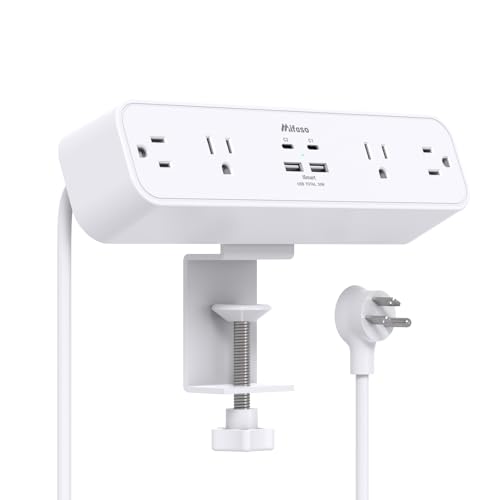
Mifaso PD30W Desk Clamp Power Strip, Surge Protector, Fast Charging Station
- 【8 in 1 Desk Clamp Power Strip】This under desk power strip can turn 1 socket into 4 AC outlets with 2 USB-A ports, 1 USB C Port, and a 30W USB C PD Charger, can...
- 【30W USB-C PD Charger】The USB-C port supports up to 30W Power Delivery (PD), enabling high-speed charging for MacBooks, iPads, smartphones, and more. It supports...
- 【5 Ft Desk Clamp Power Strip】The 5-foot power cord is long enough to reach distant wall outlet sockets. the 45° right angle design creates extra space for other...
Students and remote workers will find the PD30W Desk Clamp Power Strip ideal when you need compact, high-speed charging at a fixed workstation. You can convert one wall socket into four AC outlets and four USB ports, including a 30W USB-C PD (USB-C1) for fast charging. Dimensions are 9.3 x 2.2 x 1.6 inches; cord length is 5 feet. Clamp fits desks up to 2 inches thick with foam pads; no drilling required. Use USB-C1 alone for full 30W PD, or share multiple ports up to 18W. Surge protection is 1080J; max 1875W/15A. Rated 4.7/5.
Best For: Students and remote workers who need a compact, clamp-mounted power strip with high-speed USB-C PD charging and multiple AC/USB ports at a fixed workstation.
Pros:
- Clamp-on design with foam pads installs without drilling and fits desks up to 2″ thick, saving space and preventing damage.
- Includes a 30W USB-C PD port (multiple voltage profiles) for fast charging laptops, tablets, and phones plus 2 USB-A and 1 additional USB-C for up to 8-device charging.
- Built-in 1080J surge protection, 5′ cord, and 45° right-angle plug reduce outlet blockage and protect electronics.
Cons:
- When multiple USB ports are used simultaneously, total USB output drops to 18W, limiting fast-charge capability across devices.
- Clamp limits placement to desk edges and desks thicker than 2″ are incompatible.
- 1875W/15A maximum may restrict use with multiple high-draw AC devices (e.g., space heaters).
Factors to Consider When Choosing a Desk Surge Protector
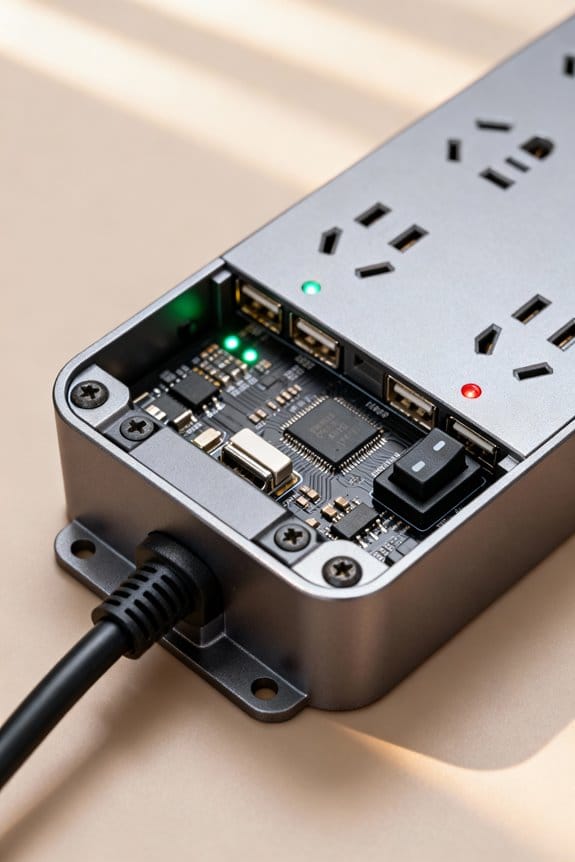
When choosing a desk surge protector, you should count the outlets and check spacing so devices with bulky adapters fit on a 6–8 inch center-to-center footprint. Verify USB type and power, for example PD 30W (USB-C) or 5V/2.4A (USB-A), confirm surge protection rating (e.g., 900–2000 joules), and decide clamp vs. wall-mount based on desk edge thickness (0.5–1.5 inches). Also measure cord length and plug type, choose 6 ft or 10 ft cords and confirm right-angle or straight NEMA 5-15P plugs for your setup.
Outlet Count & Spacing
Because desk space is limited, you’ll want a surge protector with the right outlet count and spacing to avoid crowding and blocked plugs. Choose a unit with the total outlets you need; models range from 3 to 17 outlets. For most desks, pick a standard 6–12 outlet unit. Measure plug width and guarantee at least 2 inches (50 mm) between AC outlets to fit large adapters. If you have many devices, select a model with staggered outlets or spaced pairs; product codes like DSG-610 or PRO-12S indicate higher counts and spacing. Lay devices out, count plugs, and mark needed spacing on a ruler. Buy a protector rated for your expected load to reduce overheating and circuit overload risks.
USB Type & Power
If you want fast, reliable device charging, pick a surge protector with the right USB types and power ratings so you don’t slow devices or overload the strip. Choose models with USB-C ports that deliver 20W or higher for phones and tablets. Check each USB-C port supports 5V/3A and each USB-A port supports 5V/2.4A. Verify total USB output; add port outputs to confirm the strip can supply simultaneous charging. Prefer smart charging technology that negotiates voltage and current per device. Use a protector with both AC outlets and USB ports to run laptops and phones together. Confirm the unit’s wattage limit is at least 1875W to avoid overload when powering multiple high-demand devices.
Surge Protection Rating
While shopping for a desk surge protector, focus first on the joule rating, because it tells you how much energy the unit can absorb before failing. Aim for at least 600 J for standard electronics, and 1000 J or more for sensitive gear like desktop PCs with model numbers such as GTX-3070 or audio interfaces like UA-2. Step 1: check the product label for “Joules: 600” or “Joules: 1000+”. Step 2: note the maximum surge current in amperes, for example 20 kA or 40 kA, listed as Imax. Also verify protection modes: common mode and differential mode should be specified. Devices with lower joules can fail quickly, so replace units that list low values or no mode specs.
Clamp vs. Wall-Mount
After you’ve checked joules and surge current, you’ll decide how the protector mounts on your desk. You can choose a clamp model for edge installation or a wall-mount for fixed placement. Clamp units secure to desk edges and save surface space; check thickness limits, typically 1.7 to 2.75 inches, before purchase. Measure your desktop with a ruler, then align clamp jaws and tighten until snug. Wall-mount units use keyhole slots or anchors; mark stud locations, drill pilot holes, insert anchors, and hang using screws. Wall mounts offer cleaner looks and variable heights for charging. Base your choice on your workspace layout, available surfaces, and whether you prefer constant accessibility or a permanent, out-of-the-way installation.
Cord Length & Plug
Because cord length and plug type affect where and how you place a surge protector, you should pick a cord between 5 and 10 feet to reach outlets without stretching, and verify the plug fits behind furniture. Choose a 5–10 ft cord to give flexibility for desks, clamps, or wall-mounts. Inspect the plug design: select a flat or angled plug if you need it to sit behind a desk. Check cord construction; prefer heavy-duty conductors such as pure copper for durability and current capacity. Assess wire gauge: lower AWG numbers (12–14 AWG) indicate thicker wire that handles more power. Step 1: measure distance to outlet. Step 2: pick cord length. Step 3: confirm plug profile fits behind furniture.
Safety Certifications & Materials
When you shop for a desk surge protector, check for ETL or UL marks on the label and a clear model number like “UL 1449” or “ETL 1310” so you can verify certifications online; these marks mean the unit met independent safety tests. You should prefer units with UL or ETL certification and a listed standard number. Inspect the housing material for fire resistance, such as IEC 60695-rated fireproof plastic or ABS with V-0 flame rating. Choose a protector with a joule rating of at least 900 J; higher numbers absorb larger spikes. Verify overload protection via an integrated circuit breaker or reset switch labeled 15 A or 20 A. Confirm manufacturer specs for heat resistance up to 85°C and clear model codes for online validation.
Frequently Asked Questions
Do Desk Surge Protectors Block Wireless Charging Signals?
No, desk surge protectors usually don’t block wireless charging signals. You can place a Qi charger 5–10 mm from a power strip and expect normal operation. If a metal housing or thick ferrite bead sits between the phone and charger, you can see reduced power transfer by 20–80%. To test, use a phone with model A2342, a Qi pad, and a caliper to measure distance, then reposition until charging resumes.
Can Surge Protectors Handle High-Wattage Space Heaters?
Can a surge protector handle a high-wattage space heater? You can’t use standard desk surge protectors for 1,500 W heaters. Use a dedicated 20 A circuit and an inline-rated surge suppressor like Eaton CHSPT2ULTRA or Belkin BV108000-06, rated 15 A/1875 W or higher. Step 1: check breaker label (20 A = 2,400 W at 120 V). Step 2: plug heater directly into wall or a rated heavy-duty strip.
How Do I Dispose of a Damaged Surge Protector Safely?
You can disconnect the damaged surge protector, unplugging all cords and noting model number and UL file code (e.g., UL1449). Cut the cord 6 inches (15 cm) from the unit with insulated cutters, then tape ends with electrical tape. Place the unit and cord pieces in a sealed plastic bag, label with model and damage date. Dispose via your local e-waste facility or manufacturer take-back program, retaining receipt and tracking code.
Will Daisy-Chaining Desk Surge Protectors Void Warranties?
Yes, daisy-chaining desk surge protectors typically voids warranties and can create safety risks. You should avoid connecting multiple units end-to-end. Check the product code or manual, for example model PRG-1200X or SKU 45-PRG1200, for specific clauses. If you already chained units, unplug all devices, remove the extra protector, and plug devices directly into a single rated unit with 12 AWG cord and 15 A or 20 A circuit protection.
Can Surge Protectors Interfere With Audio/Video Equipment?
Yes, surge protectors can interfere with A/V gear, but you can reduce risk. Use a line filter with <1% THD and <3 dB insertion loss at 20 kHz. Avoid cheap models like SP-6X1000 that list >2% distortion. Plug sources directly into a dedicated surge protector with EMI/RFI filtering, ground wire ≤1.0 Ω, and separate video and audio runs. Test with a 1 kHz tone and SPL meter.