As an Amazon Associate, we earn from qualifying purchases. Some links on this site are affiliate links at no extra cost to you. Our recommendations are based on thorough research and editorial judgment.

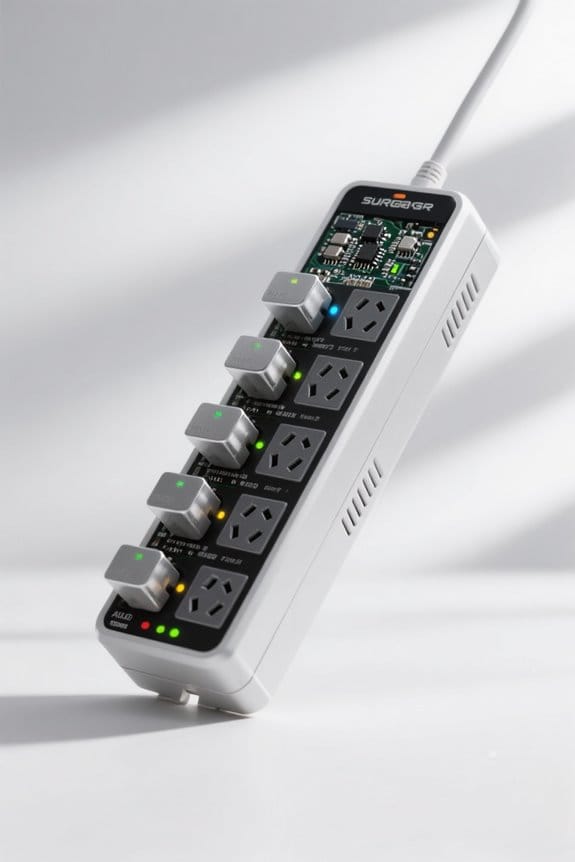
How Surge Protectors Prevent Device Damage

Surge protectors divert high-voltage spikes away from electronics using MOVs, gas discharge tubes, and capacitors. A model such as SP-1200A, UL 1449-listed, uses 400 V clamping and 1,000 J absorption to limit let-through voltage. Installation requires a grounded 120 V AC outlet and short cord runs; you can verify grounding with a Fluke 117. Inspect Protected LED and replace units after 3 to 5 years or after visible damage. Further sections explain selection and maintenance.
Key Takeaways
- Surge protectors use metal oxide varistors (MOVs) to clamp and divert excess voltage away from connected devices during spikes.
- A high joule rating (≥1,000 J) indicates greater energy absorption capacity, reducing the chance of device damage.
- Proper grounding and plugging into grounded outlets ensure surge current is safely redirected to earth instead of through electronics.
- Built-in components (capacitors, gas discharge tubes) filter noise and handle different surge types, protecting sensitive circuitry.
- Indicator lights and UL 1449 listing signal functional protection; replace units after indicator failure, visible damage, or repeated surge events.
What Is a Surge Protector and Why It Matters
You may be interested
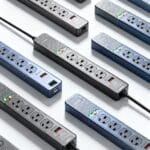
A surge protector, also called a transient voltage surge suppressor, protects electronics from sudden voltage spikes that can exceed 1,000 volts. It uses internal metal oxide varistors (MOVs) to absorb excess energy and divert it to ground. The device’s joule rating shows capacity; choose a minimum of 1,000 J for sensitive equipment. For installation, you can follow three steps: 1) verify outlet grounding with tester model GT-10; 2) plug the surge protector labeled SP1000 into the grounded outlet; 3) connect devices using short, quality power cords under 1.5 m. Check indicator lights daily and replace after cumulative loss or when indicator reads “replace” or model TPS-120 shows alarm. Properly connected wiring is required for effective protecting your electronics against voltage surges for long-term use. Additionally, ensure surrounding areas and equipment are free of debris and dust by maintaining clean, dry surfaces to help protect devices and accessories.
Common Causes of Power Surges
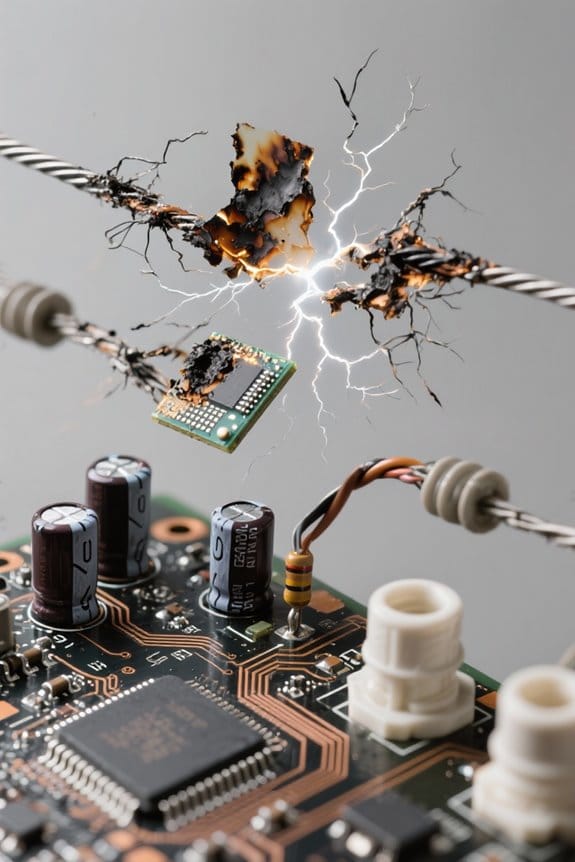
Although lightning is rare, it can create spikes exceeding 1,000 volts that travel through power lines and enter buildings. Most household power surges come from appliances cycling, with motors creating brief spikes of 5–50 volts above nominal supply at peak load times. Infrastructure faults like downed lines or transformer failures can cause a voltage increase of hundreds of volts entering an electrical system. Old or faulty home wiring causes intermittent fluctuations, often measured between 10–100 mV and several volts on sensitive branch circuits today. First, inventory high-risk devices and record model numbers like APC RS1000 and Belkin BV112050-06 for maintenance logs and reference every month. Use a Fluke 117 to measure RMS voltage, log times; you can contact the power provider if spikes exceed 300 volts. Also, select surge protectors rated for 900-2,700 joules depending on equipment needs.
How Surge Protectors Actually Work
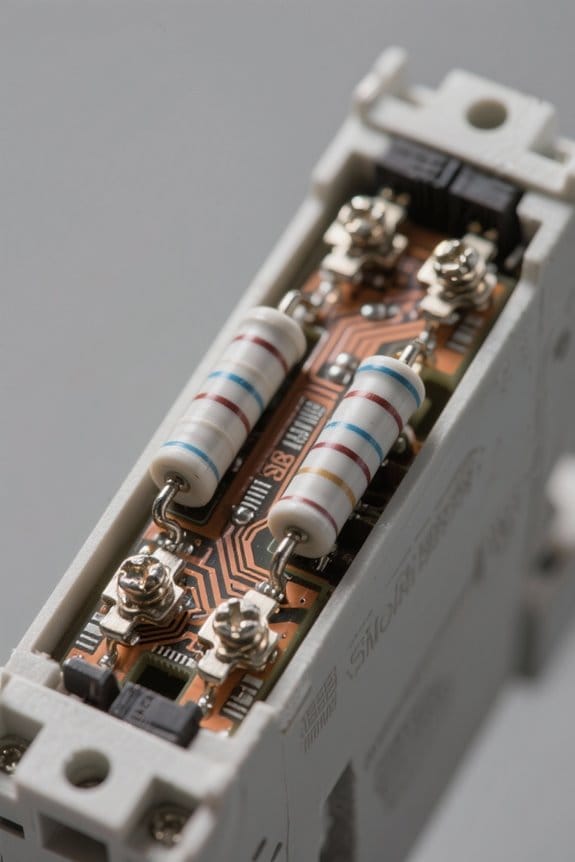
After logging surge events with a Fluke 117 and noting devices like APC RS1000 or Belkin BV112050-06, one should learn how protectors operate. The surge protective device monitors incoming power and limits harmful voltage levels to safeguard connected loads. During sudden voltage spikes the unit redirects excess energy away from sensitive circuits, maintaining normal line voltage within +-10 volts. Users are advised to check indicator lights and test status every 6 months. Replace units after cumulative exposure or if UL 1449 labeling is absent. Installers may measure clamping behavior with a 120 V AC source and controlled 400 V transient simulator for verification. Proper grounding and a rated Joule capacity improve performance. Regular inspection preserves protection for computer, display, and other electronic equipment devices. Additionally, checking the unit’s Joule capacity helps assess how much energy it can absorb before failing.
Key Components: MOVs, Capacitors, and Gas Discharge Tubes
Three key components—MOVs, capacitors, and gas discharge tubes—work together inside a surge protector to detect, divert, and absorb harmful voltage spikes. MOVs are rated by diameter and clamp threshold; a common varistor uses 14 mm disc size, model VAR14D471K, with 471 V nominal clamping. Capacitors filter high-frequency noise; typical values are 0.01 μF to 0.1 μF, X2 safety class, 275 VAC, marked 274M275. Gas discharge tubes (GDTs) ionize at specified breakdown voltages, for example 300 V to 600 V, model GDT-02-300. The manual advises visual inspection and testing every 12 months with a multimeter and discharge counter. Replace any module showing wear, MOV discoloration, or reduced insulation, following manufacturer part codes and step-by-step replacement instructions. Owners of surge protectors document serial numbers and dates. Also, look for surge protectors with fire-retardant casings to reduce fire risk during extreme surges.
Recommended Products
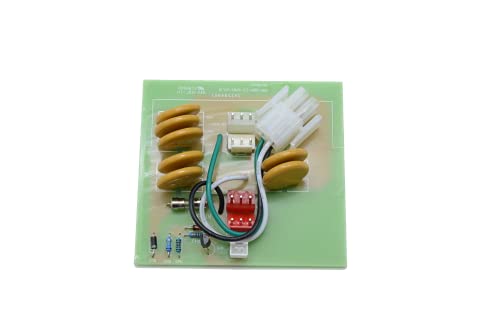
POWER WATCHDOG GEN I EPO COMPATIBILITY ONLY- Designed exclusively for first-generation Power Watchdog Portable PWD30EPO or Hardwired PWD30EPOH units that include EPO functionality.

Power Watchdog, RSM30W Replacement surge module 30 Amp WiFi
Joule Ratings, Clamping Voltage, and Let-Through Performance
Building on component inspection and replacement, attention now turns to energy and voltage limits that determine protection performance. Start by checking joule ratings printed on the label, model SP-2000J lists a 2000 joule rating. Higher joule ratings mean the unit absorbs more energy before failure, which extends usable life under repeated surges. Next verify clamping voltage, often listed as 330V or 400V, where lower values like 330V provide better spike limitation. Measure let-through performance with a tester; target values remain below 500 volts to protect electronics during a surge. For a basic test you can apply a 1000 joule impulse per IEC 61000-4-5 and record residual. Choose units with SP-2000J or SURG-P330 codes, low clamping voltage, and excellent let-through performance for long-term device safety. Also inspect lead wires for strain-relief collars as they improve durability and reduce connection failures that could affect surge protection performance.
Recommended Products

11-in-1 Power: Features 8 AC outlets, 2 USB-A ports, and 1 USB-C port—enough to keep an entire room powered up.

【Power Strip with 8AC outlets & 4 USB】- Power bars with surge protector with 8AC outlets & 4 USB charging ports (1 USB C Outlet), 6 Feet Heavy Duty extension cord, surge protector(2700 Joules) with overload protection protects against spikes and fluctuations.

FLAT PLUG POWER STRIP SURGE PROTECTOR: Features 7 outlets, 2160 joule rating, and an 7ft flat plug extension cord. Three wide-spaced outlets fit bulky transformers. Filters out threatening EMI/RFI line noise that can cause damage or data loss.
Types of Surge Protectors and Typical Applications
Surge protectors are available as plug-in modules, power strips, under-monitor bars, and 19-inch rack-mount units for different needs. A basic plug-in surge suppressor (120V, 15A, model PS-120) suits a single computer or lamp. Small power strips with 6 outlets and 1,000 joules protect sensitive electronics like monitors and routers. Under-monitor bars, 12-inch long, fit beneath displays for desks. A 1U, 19-inch rack-mount unit (model SS-1000R) installs in server racks near the electrical panel. Specialized two-outlet units handle large appliances like refrigerators. Some units include Ethernet and coax protection ports labeled DATA-IN and COAX. Step 1: plug the protector into a grounded outlet. Step 2: confirm LED is on. You can replace units that show fault indicators. Replace after a surge or every five years. For small devices, select units that provide at least 600+ joules of surge protection.
Recommended Products
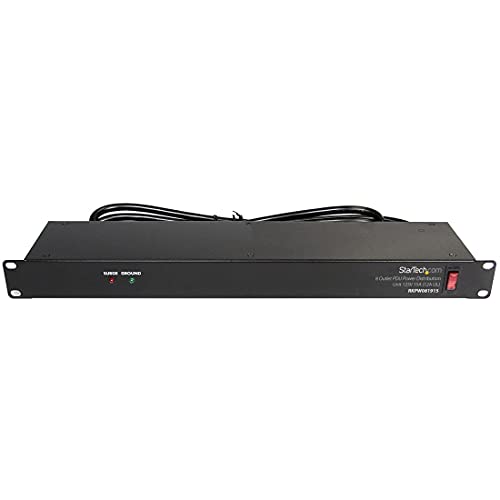
POWER AND CHARGE: This rack mount power strip provides an additional 8 NEMA 5-15 outlets (120V/15A) and features a 6ft (1,8m) long cord so you can plug your devices in while leaving the rack mobile

1U RACK MOUNT POWER STRIP PDU: Rack mount power strip for Audio/Video, network hardware, entertainment systems, desks, and more. Designed for home, business, and IT Pro applications. Features 12 NEMA 5-20R outlets, 6 front and 6 rear.

【Rack Mount Power Strip】: This PDU power strip surge protector equipped 8 wide space outlets (125V/15A), providing enough space between the sockets to large plugs. 8 in 1 power strip, features a 6 ft long cord so you can plug your devices in while leaving the rack mobile
Selecting the Right Surge Protector for Your Devices
How should a buyer select the right surge protector for specific electronics and appliances when safety and compatibility matter most? A buyer should first verify UL 1449 listing and Protected LED operation and test with a multimeter before installation, step 1. Step 2, choose a model with a joule rating of at least 1,000 J, for example model SP-1000 or part SURGEPRO-1000. Step 3, confirm the unit provides surge protection for transient voltage surge events and matches device sensitivity levels. Step 4, select premium units for gaming PCs or AV equipment and standard units for lamps and chargers, and record model numbers offline. Step 5, check for USB ports, data line protection for Ethernet, and sufficient AC outlet count, typically six to eight outlets. Also, consider surge protectors rated at 1800 Joules or higher for more effective protection.
Recommended Products

【Magnetic Power Strip】Built with two powerful internal magnets embedded in the housing, delivering a strong and secure hold on toolboxes, metal cabinets, workbenches, and other metal surfaces without slipping or falling. No drilling required. Includes keyhole mounting slots for secure wall installation in garage, workshop, or office
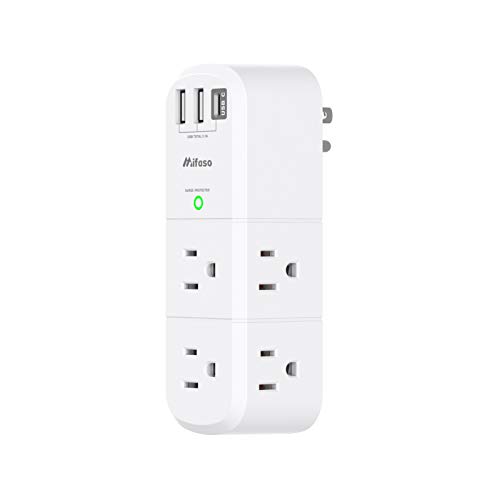
【9 IN 1 Function USB Wall Outlet】- 6 AC outlet splitter (3 side, 15A/125V/1875W) with built-in 1800 Joules surge protector and 3 USB charging ports (1 USB C, total output DC 5V/3.1A), 180 degree rotating AC plug. The grounded indicator light that assures your devices are secure.

[3 Plug Extension Outlet] This 3 way plug adapter instantly adds a safe and secure charging center to any home, dorm room, or office environment. The wall outlet surge protector adapter provides you with the ability to power 3 grounded plug-in devices while maintaining a clean, orderly appearance.
Lifespan, Indicators, and When to Replace a Surge Protector
Although they are built to absorb spikes, surge protectors degrade over time and need scheduled replacement every three to five years. Manufacturers list lifespan on labels and datasheets; example model SP-1200A recommends three to five year cycle. Inspect LEDs and status markings; the Protected LED off, or an RCD code FA-03, are indicators of failure and need to replace immediately. Check for physical damage: discoloration, cracks, melting, scorched plugs, or loose outlets within 1 cm of the housing seam. If the unit’s internal trip activates, or surge counter exceeds 10 events, follow step-by-step: disconnect, record model, dispose, and replace. For safe disposal, consult local code EPA-202, or retailer take-back, and select a replacement with MOV ratings such as 400 V clamping, Replace on schedule. Consider upgrading to a whole-house surge protector rated for higher surge capacity to improve overall system defense.
Recommended Products

Universally connects to any manufacturer's load center (breaker box)
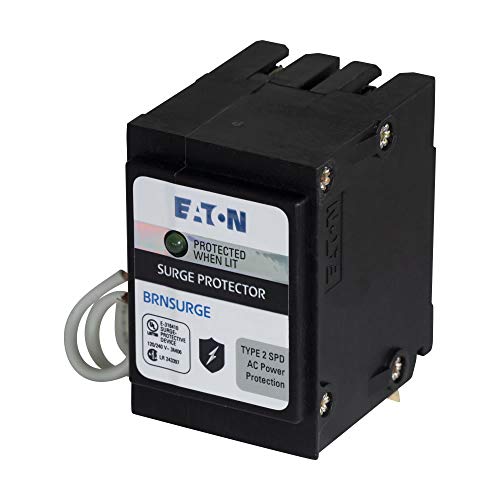
Uses 2 Branch Circuit Spaces

The HEPD50 is easily connected to any brand of residential load center and provides the customer a green status LED to ensure proper protection
Safety Best Practices and Common Misconceptions
Homeowners’ safety routines should include checking surge protector model numbers such as SP-1200A and confirming grounding before use. Inspect the unit visually for cracks, burn marks, or a failed indicator LED before connecting valuable equipment. Verify the outlet measures 120 V AC and is grounded with a resistance under 5 ohms using a tester you can buy. Do not plug surge protectors in series, as doing so increases heat and fire risk. Understand that MOVs redirect surges to ground and do not switch power off during events. Replace units after visible damage, a failed indicator, or every 3–5 years, whichever comes first. Follow manufacturer torque specs for terminals, typically 4–6 in·lb, when installing hardwired models. Test protectors monthly and document results in a log. Consider line conditioners with Automatic Voltage Regulation to reduce voltage fluctuations and improve equipment longevity.
Frequently Asked Questions
Do Surge Protectors Really Protect Electronics?
They generally protect electronics when correctly chosen and installed. Surge protector effectiveness depends on joule rating, grounding, and MOV condition; awareness of power surge causes and layered electronic safety measures guarantees better long-term device protection.
What Should You Never Plug Into a Surge Protector?
One-third of home fires originate from electrical misuse, so they should never plug high wattage appliances, medical equipment, overheating devices, daisy-chained protectors, or extension cords into a surge protector to avoid overload and fire risk.
How Does a Surge Protector Protect a Computer?
It protects a computer by diverting and absorbing excess voltage using surge protector technology, clamping electrical surges with metal oxide varistors, and providing power management, noise filtration to prevent component damage and guarantee stable operation.
What Are the Disadvantages of a Surge Protector?
Like a dimming bulb, it poses disadvantages: Surge protector lifespan is limited, surge protector limitations include silent failures and low joules, and cost considerations, misuse or daisy-chaining can greatly reduce protection and raise fire risk.