As an Amazon Associate, we earn from qualifying purchases. Some links on this site are affiliate links at no extra cost to you. Our recommendations are based on thorough research and editorial judgment.

Assessing Surge Protection Devices for Gaming Setups

An assessor should choose a UL 1449 surge protector rated 1,000–2,000 J, Vcl ≤500 V and response time <10 ns. Verify 8–12 grounded outlets and at least two USB ports. Sum device wattage; you can plug the console into the protector first, avoid daisy chaining, register product within 30 days. Inspect LEDs monthly, replace after major surge or every 3–5 years. Keep receipts and photos for warranty claims. Continue for detailed selection and maintenance steps.
Key Takeaways
- Choose a surge protector with 1,000–3,000+ joules to absorb large spikes and protect consoles and gaming PCs.
- Verify clamping voltage ≤500V and response time in nanoseconds (ideally ≤1 ns) for fast, effective protection.
- Use a strip with 8–12 outlets plus at least two USB ports; avoid daisy chaining and plan for future devices.
- Confirm UL1449 certification, read connected-equipment warranty limits, register the product, and keep purchase documentation.
- Inspect monthly: check indicator LED, cords, and replace units every 3–5 years or after major surge events.
Why Surge Protection Matters for Gaming Systems
You may be interested
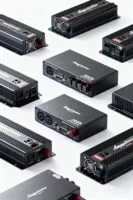
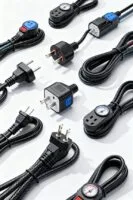
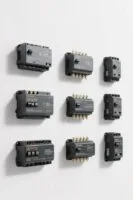
Assess the risk: power surges can produce sudden voltage spikes that fry internal components in consoles like the PlayStation 5 and Xbox Series X. The guide notes that power surges threaten gaming consoles and other electrical devices during lightning or appliance cycling events. It recommends a surge protector with a 1,000 to 2,000 joule rating for consistent protection. Select units with clamping voltage around 500V and response time under 10 nanoseconds for near‑instant protection. Install the protector between wall outlet and console, plug monitor and sound system into remaining outlets. Check model numbers such as APC P11VT3 or Belkin BV112050-08 for comparable specs. Replace the unit after a major surge or when indicator lights fail. This approach supports safeguarding electronics and lengthening console lifespan. For even greater protection, consider surge protectors rated up to 3,940 joules that are available in some high-end models.
Understanding Joule Ratings and What They Mean for Your Gear
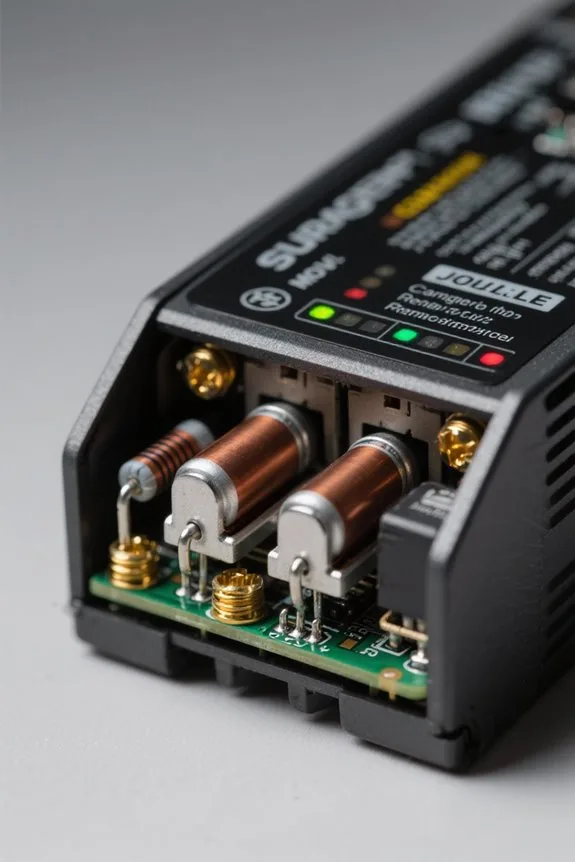
Joule rating is the measured energy a surge protector can absorb, expressed in joules from about 500 to over 3000. Joule ratings indicate protection capacity; for gaming setups 1,000 to 2,000 joules is typically recommended. Metal Oxide Varistors (MOVs) form the core, absorbing excess voltage to protect sensitive electronics and electrical equipment. Each power surge reduces available joules, so users must monitor labels, codes like SPD-1000X for end of life. In high-risk areas, selecting surge protectors with higher joule ratings, for example 3,000 joules, consistently improves safeguarding measures. Inspection steps: 1) check the printed joule rating and MOV specifications, 2) log date and model, 3) replace after major surges. Keep documentation and receipts with the unit periodically for warranty verification and future protection assessment. Ensure proper installation with adequate grounding to maximize surge protector effectiveness.

2000VA/1200W Uninterruptible Power Supply (UPS) battery backup system with line interactive topology with simulated sine wave output


Trusted Surge Protection: Rated at 4050 Joules, this Monster Surge Protector can defend your precious electronics from dangerous lightning strikes, power surges, and outages.
Clamping Voltage and Response Time: Protecting Sensitive Components
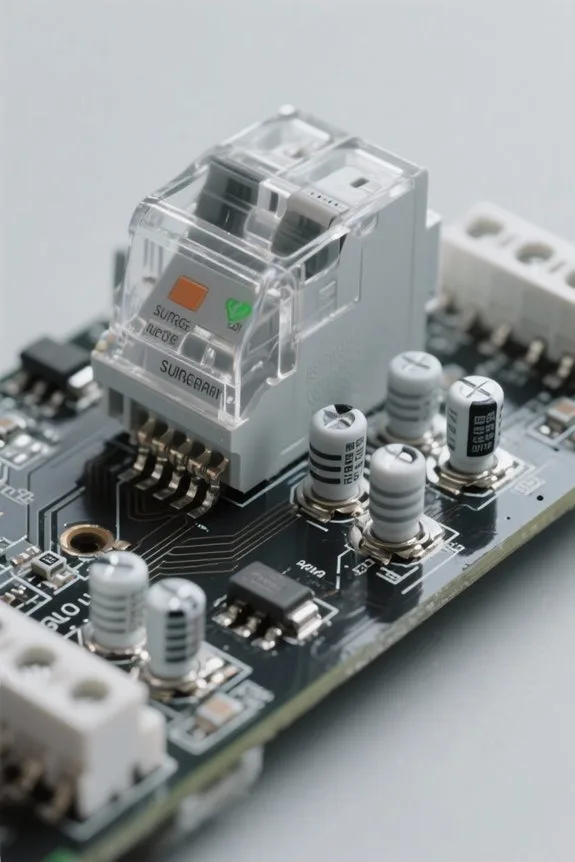
Start by checking the surge protector’s clamping voltage and response time on the unit label or datasheet. The clamping voltage denotes the maximum voltage allowed before diversion, typically shown as 400V or 500V, with 400V or lower recommended for high-performance consoles. Response time is specified in nanoseconds, for example 1 ns to 5 ns, and faster times reduce exposure to excess voltage. Inspect surge suppressor model codes like SPD-400N or SS-1NS on the label. Step 1: verify clamping voltage ≤400V. Step 2: verify response time ≤5 ns. Step 3: confirm datasheet lists suppression of electrical noise and protection devices ratings. This guarantees sensitive components in a gaming setup and connected peripherals receive effective surge protection you can trust. Keep records of datasheets and dates for future comparison. Aim for a minimum of 2,000 joules of energy absorption in your surge protector for gaming setups.
Choosing the Right Number of Outlets and USB Ports
How many outlets and USB ports are needed depends on the devices used and the available space in the gaming area. A typical recommendation is 8 to 12 outlets, model SP-1208USB or CP-8X2, to host consoles, monitors, speakers, and lighting. Include at least two USB ports, one USB-A and one USB-C, for controllers and phones. Step 1: list all connected devices and their wattage. Step 2: sum power needs and compare to surge protector rating. Step 3: choose a unit that exceeds total power draw by 20%. In tight spaces, choose compact surge protectors with wall plug design, 98 mm depth. Verify outlets layout to avoid overload. For high-performance rigs, plan spare outlets for future upgrades. You can follow this checklist and documentation steps. For shelf edges and organization near your setup, consider materials like pre-glued veneer or TPE for durable protection.
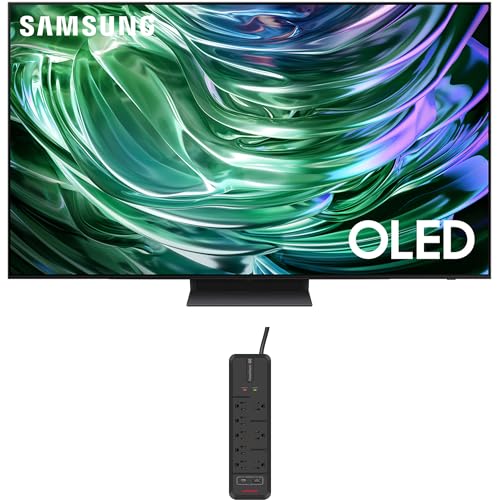
OLED Technology: Discover details you have been missing - even in dark and light scenes | OLED HDR+: With OLED HDR+, your TV picture will be incredibly bright and sharp!

Complete Protection from Surges and Spikes

1500VA/900W UPS: Eight NEMA 5-15R outlets provide reliable UPS battery backup & surge protection for servers, computers, and peripherals. The six-foot NEMA 5-15P input power cord ensures easy connection to compatible AC outlets
Certifications, Warranties, and Equipment Coverage to Look For
Certification is the first checkpoint: confirm the surge protector carries UL 1449 marking and a recognized test lab number on its label. Buyers should seek UL certification and other certifications, reading labels for model numbers such as SP-1000 or PR-2400. Next, verify warranties and equipment coverage details, noting length in years and dollar limits. Inspect warranty terms step-by-step: 1) record purchase date; 2) register product within 30 days; 3) retain receipt and serial number. Prefer surge protectors that state coverage for connected devices and list maximum payout, for example $5,000 per claim. Confirm surge protection ratings and clamping specs when available. Combining certifications, clear warranties, and explicit equipment coverage strengthens protection for a gaming setup. Consumers should compare terms before finalizing any purchase decision. Also consider choosing acid-free and lignin-free materials when preserving valuable items to prevent long-term degradation.

Automatic reset on power restoration

Multi-Outlet Surge Protector Power Strip: Power everything on your desk with a single compact surge-protected extension cord. This heavy-duty power cord turns a single standard outlet into 10 surge protection AC outlets for charging your computer, laptop, phone, camera, and more. Less clutter on your workstation.

10 AC Surge Protector Outlet : Power and protect up to 10 devices such as computers, appliances, home theater systems, and office equipment using our power strip surge protector. An excellent solution for any large or small spaced apartment.
Whole-Home vs. Point-of-Use Protection for Gamers
After verifying UL markings and warranty limits like SP-1000 or PR-2400, consideration moves to protection placement for a gaming setup. Whole-home surge protection installs at the main panel and shields all circuits from external power surges and voltage spikes. Point-of-use surge protectors connect to individual outlets near consoles, monitors, routers, and peripherals. Whole-home units usually have higher joule ratings, often exceeding 10,000 J, to absorb large surges. Point-of-use devices for gaming setups are recommended at 1,000 to 2,000 joules for protecting connected devices. Combining both methods yields extensive coverage, extending equipment life and safeguarding electronics. This layered strategy reduces repair claims, limits downtime, and provides measurable peace of mind. Installers should verify code and select units with documented clamping voltage and rapid response times. Additionally, prioritize surge protectors with ETL or UL certification and fire-retardant casings to maximize tested safety.

OLED TECHNOLOGY: Discover pure blacks, bright whites and Pantone-validated color; Combined with detail and brightness, this pixel-packed screen gives you a dramatic view for everything you watch

Sit-to-Stand Workstation: This adjustable standing desk allows you to customize your workstation for optimal comfort and improved efficiency. Desk height is adjustable from 27.5″ to 46.4″ with three height memory presets to easily switch between your favorite work positions.

ASUS RT-BE96U BE19000 802.11BE Tri-band Performance WiFi 7 Extendable Router with 6GHz Support, Dual 10G Port, 320MHz Bandwidth & 4096-QAM, Lifetime Internet Security, MLO, AiMesh Support
Placement and Installation Best Practices for Gaming Setups
Placement strategy for gaming surge protectors focuses on proximity, elevation, and ventilation to reduce surge impact and water risk. In gaming setups the installer should mount surge protectors within 0.5–1.5 meters of consoles to minimize voltage drops and preserve PSU stability. Install at 15–30 cm above desk level to avoid spills and 10 cm from walls for airflow. Use cable management trays (model CM-100 or CM-200) and zip ties every 20 cm to prevent tangles and allow access. Select units with labeled safety features such as UL1449 rating, MOVs, and indicator LEDs (example: SPD-05X). Avoid placement near HVAC units or large speakers to reduce interference. Follow manufacturer torque specs, 4–6 Nm, for mounting screws and verify grounding before completing installation. Record date and model. Choose surge protectors with a high Joule Rating appropriate for your equipment to ensure better protection.
Monitoring, Maintenance, and When to Replace a Surge Protector
How often should a surge protector be checked to guarantee ongoing protection for gaming equipment and connected consoles? Inspections occur monthly, with visual checks of LED indicators and cords. Step 1: verify LED is green; red or orange signals replacement. Step 2: inspect for wear signs such as frayed cords or cracked housing. Step 3: note joule rating and log reductions after major power surges. Replace surge protectors every 3–5 years or immediately after a significant surge event. For maintenance, unplug connected devices, disconnect the strip, and test outlets with a meter. Safeguarding electronic equipment requires keeping records, model numbers like SP-900 or PR-1500, and date-stamped photos. Monitoring and replacement protect connected devices from unseen degradation. Replace immediately when indicator fails to show protection. Also verify models include diagnostic LEDs which indicate protection status and any faults.
Recommended Surge Protector Specs for Consoles and Gaming PCs
Following regular inspections, the recommended surge protector specifications for consoles and gaming PCs are listed for owners to apply directly. Choose surge protectors with a joule rating between 1,000 and 2,000 J to handle typical power surges. Prefer models with clamping voltage near 500 V, shown as Vcl ≤ 500. Verify response time in nanoseconds, e.g., ≤ 1 ns, to reduce exposure. Make certain 8 to 12 outlets plus USB ports for controllers. Look for UL certification (UL 1449) and model codes like SP-1200 or GP-2000 as examples. Check for connected equipment coverage and warranty details, stated in writing. Install on dedicated circuits, avoid daisy chaining, and replace units after a major surge. For setup, you can plug the console into the protected outlet first. Additionally, consider models offering EMI/RFI filtering to improve A/V performance and reduce interference.

1500VA/1000W Gaming‑Optimized Standby Uninterruptible Power Supply (UPS): Delivers simulated sine wave output to provide reliable battery backup power and protect high‑performance gaming PCs, consoles, streaming equipment, and home networking devices from outages, brownouts, and voltage fluctuations.

120V/15A Rackmount surge protector provides 3600 joules of critical power protection for network servers, telecom devices, security equipment, and high-end computers

6 AC Surge Protector Outlet : Power and protect up to 6 devices such as computers, appliances, home theater systems, and office equipment using Monster's power strip surge protector. An excellent solution for any large or small spaced apartment.
Frequently Asked Questions
How Much Surge Protection Do I Need for a Gaming PC?
About 1500 to 3000 joules is recommended to protect gaming hardware and peripherals. It guarantees electrical safety, power management and surge capacity against voltage fluctuations; consider power strips, device compatibility, surge ratings and performance impacts.
How to Evaluate a Surge Protector?
They evaluate a surge protector—like a gamer who trusted a lighthouse story—by checking surge protection features, product warranty, power rating, device compatibility, surge indicator lights, noise filtering, brand reputation, user reviews, price comparison, installation instructions.
How to Protect Your Gaming Setup From Electrical Surges?
They protect gaming equipment using surge protector types with joule ratings to mitigate surge impact and voltage spikes, manage cable management, guarantee device compatibility, follow installation tips and maintenance practices, monitor power outages, warranty coverage.
How to Check Surge Protection Device?
Like a green lighthouse, they check surge protector lifespan, device compatibility check, performance testing methods, voltage rating importance, indicator lights meanings, manufacturer recommendations, inspection frequency guide, installation tips, power strip vs. surge, environmental impact considerations.